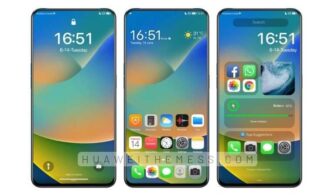
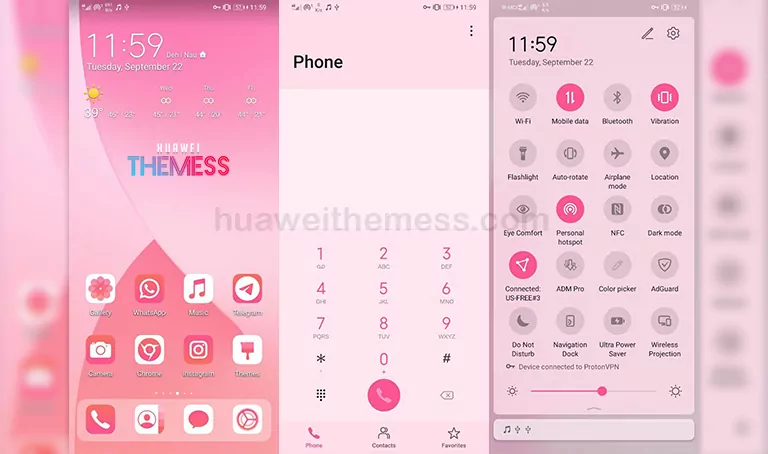
Get set to experience the epitome of style and sophistication with the iOS 14 Candy theme, a visually stunning masterpiece that brings the essence of iOS 14 to your Huawei device. This theme is a masterclass in minimalism, with a palette of soft pastels and crisp white accents that will leave your phone looking sleek and refined.
EMUI 10/9 and MagicUI 3/2 Get a Delicious Makeover
The iOS 14 Candy theme is a perfect blend of form and function, with clean lines, rounded corners, and subtle animations that elevate your EMUI experience to new heights. This theme is designed to make your device look and feel premium, with a focus on creating a seamless and intuitive interface.
Compatibility: Seamless Integration on EMUI 10.1/10/9.1/9.0 and MagicUI 3/2
This theme is specifically designed to work in harmony with EMUI 10.1/10/9.1/9.0 and MagicUI 3/2, ensuring a glitch-free experience that’s tailored to your device’s unique needs. Whether you’re rocking the latest and greatest or an older model, this theme will bring a fresh new look to your device, making it stand out from the crowd.
Frequently Asked Questions
What sets the iOS 14 Candy theme apart from other EMUI themes?
[The iOS 14 Candy theme stands out with its unique blend of soft pastels and crisp white accents, giving your device a premium look and feel. This theme is designed to enhance your EMUI experience, with a focus on making your device look and feel sleek and sophisticated.]
Is the iOS 14 Candy theme compatible with my device?
[This theme is designed to work seamlessly on EMUI 10.1/10/9.1/9.0 and MagicUI 3/2, ensuring a glitch-free experience. Whether you’re rocking the latest and greatest or an older model, this theme will bring a fresh new look to your device.]



How do I download and install the iOS 14 Candy theme?
[First, download the .hwt file and move it to the Huawei/Themes folder, then apply it via the Themes app. Click here to learn in detail.]
Can I customize certain elements of the iOS 14 Candy theme?
[While the iOS 14 Candy theme is designed to be a cohesive whole, you can customize certain elements to suit your personal taste. Explore the theme’s settings to find the perfect balance of style and functionality.]
How do I download and install the iOS 14 Candy theme?
[First, download the .hwt file and move it to the Huawei/Themes folder, then apply it via the Themes app. Click here to learn in detail.]
The iOS 14 Candy theme is a masterclass in minimalism, with a palette of soft pastels and crisp white accents that will leave your phone looking sleek and refined. Whether you’re a fan of the latest and greatest or prefer a more subtle look, this theme is sure to impress. So why wait? Download the iOS 14 Candy theme today and experience the ultimate in EMUI style.