
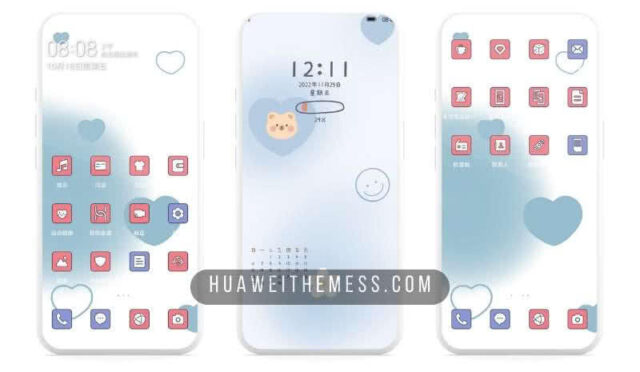
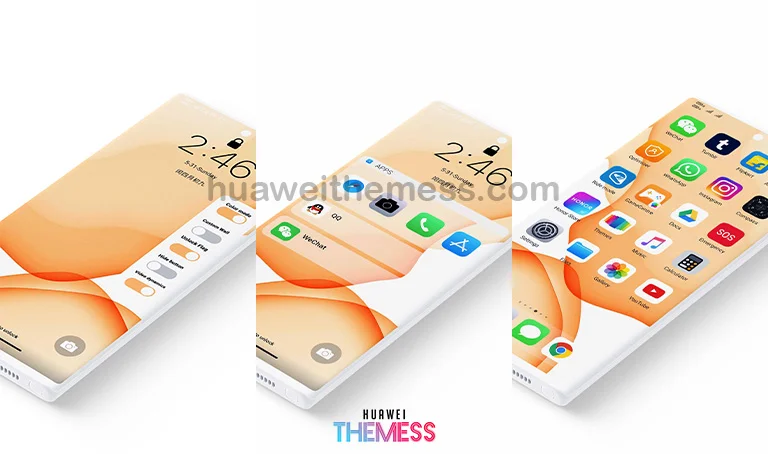
Get ready to breathe new life into your EMUI-powered device with the OS Stale Rest theme, designed to bring a refreshing twist to the operating system’s signature style. This theme is the perfect solution for those looking to personalize their phone and make a statement with its unique blend of style and functionality.
Unlock the Full Potential of OS Stale Rest on your Huawei Device
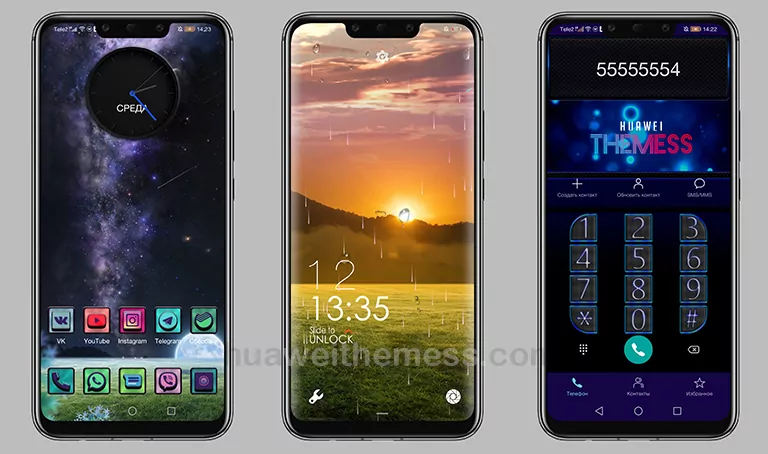
With its sleek and modern design, OS Stale Rest is the perfect choice for anyone looking to elevate their EMUI experience. The theme boasts a range of exciting features, including a cool lockscreen, changed clock widget, and stylish app lookings. Whether you’re a fan of minimalist designs or bold, eye-catching visuals, OS Stale Rest has something for everyone.
Compatibility and System Requirements
OS Stale Rest is designed to work seamlessly with EMUI 10.1/10/9.1/9.0 and MagicUI 3/2, ensuring that you can enjoy its full range of features without any compatibility issues. Whether you’re running the latest version of EMUI or an earlier iteration, this theme is the perfect choice for anyone looking to give their device a fresh new look.
Frequently Asked Questions
What devices are compatible with OS Stale Rest?
OS Stale Rest is compatible with EMUI 10.1/10/9.1/9.0 and MagicUI 3/2 devices.
How do I apply the OS Stale Rest theme?
To apply the theme, download the .hwt file and move it to the Huawei/Themes folder, then apply it via the Themes app. Click here to learn in detail.



Can I customize the theme to suit my preferences?
Yes, OS Stale Rest allows you to personalize your phone according to your taste, making it the perfect choice for anyone looking to make a statement with their device.
How do I uninstall the OS Stale Rest theme?
To uninstall the theme, simply go to the Themes app and select ‘Uninstall’ from the dropdown menu.
How to install this theme?
First, download the .hwt file and move it to the Huawei/Themes folder, then apply it via the Themes app. Click here to learn in detail.
With its unique blend of style and functionality, OS Stale Rest is the perfect choice for anyone looking to elevate their EMUI experience. Whether you’re a fan of minimalist designs or bold, eye-catching visuals, this theme has something for everyone. Don’t settle for a dull and uninspiring device – breathe new life into your EMUI-powered device with the OS Stale Rest theme.



Nice
Huawei Theme