
A new dimension in customization has arrived for EMUI fans, as the Multiple Color Space theme brings a fresh, vibrant look to your Huawei and Honor devices running EMUI 10.1/10/9.1/9.0 and MagicUI 3/2. This stunning theme allows you to personalize your phone according to your unique style and preferences, making your device a true reflection of your personality.
Unlock the Aesthetic Potential of Multiple Color Space EMUI Theme
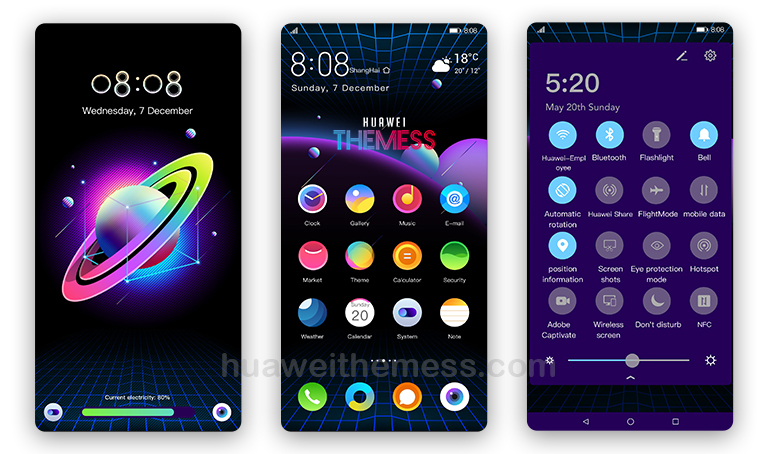
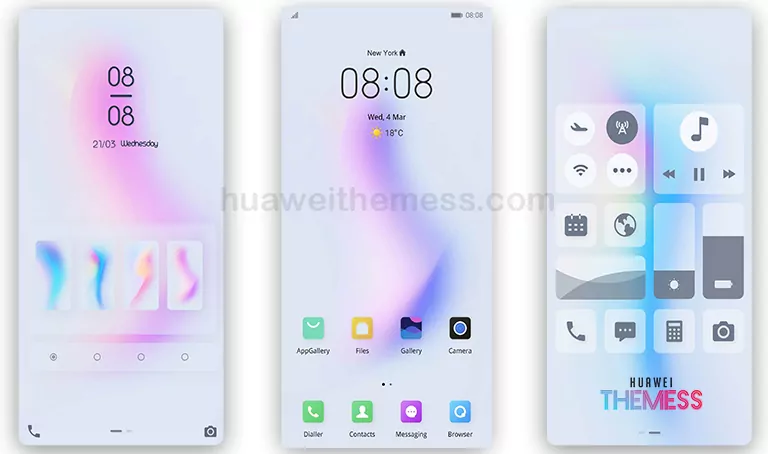
With its sleek and modern design, Multiple Color Space theme is a perfect blend of style and functionality. From cool and vibrant wallpapers to vintage and stylish icons, every aspect of this theme has been carefully crafted to provide an immersive and engaging user experience.
- Cool and refreshing wallpapers that breathe life into your device’s home screen
- Vintage and stylish icons that add a touch of elegance to your phone’s interface
- Purple and blue app lookings that create a visually stunning effect
- Bugs fixed to ensure seamless performance and stability
- And many more features to discover!
Compatibility and System Requirements
Multiple Color Space theme is compatible with EMUI 10.1/10/9.1/9.0 and MagicUI 3/2 devices, ensuring a seamless and hassle-free installation process. With its robust design and efficient performance, this theme is perfect for users looking to enhance their device’s visual appeal and overall user experience.



Frequently Asked Questions (FAQ)
What are the system requirements for Multiple Color Space EMUI theme?
This theme is compatible with EMUI 10.1/10/9.1/9.0 and MagicUI 3/2 devices, ensuring a seamless and hassle-free installation process.
How do I know if the theme is installed correctly?
To ensure a smooth installation process, please restart your device after applying the theme. If you encounter any issues, feel free to contact our support team for assistance.
How to install this theme?
First, download the .hwt file and move it to the Huawei/Themes folder, then apply it via the Themes app. Click here to learn in detail.
Get ready to unlock the full potential of your Huawei and Honor device with the Multiple Color Space theme. With its stunning design, seamless performance, and hassle-free installation process, this theme is a must-have for any EMUI fan looking to elevate their device’s visual appeal and overall user experience.




EMUI 11/12