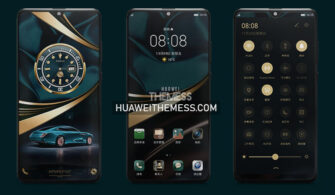
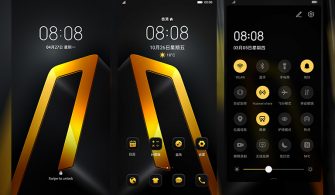
The Black Gold Q theme is a game-changer for EMUI fans who crave a sleek, modern aesthetic with a touch of warmth. This theme offers an unparalleled level of customization, allowing users to personalize their devices to reflect their unique style.
Unveiling the Black Gold Q Aesthetic on Your Huawei Device
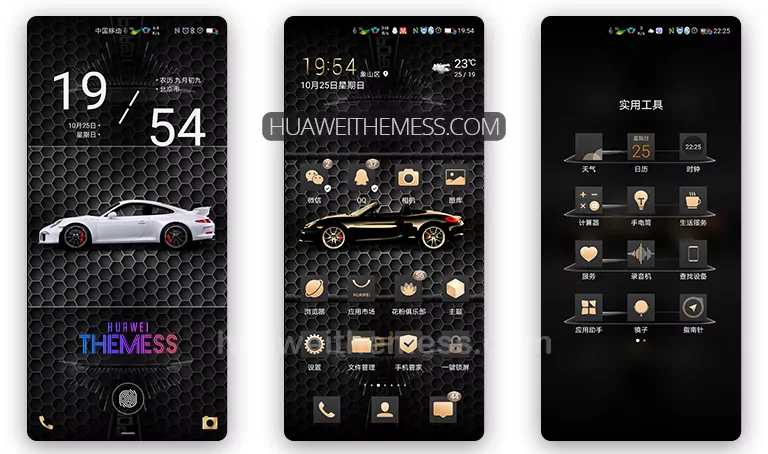
The Black Gold Q theme is a masterclass in balance and contrast, blending the richness of gold accents with the sophistication of a predominantly black background. This striking color scheme creates a visually stunning effect that elevates the overall user experience.
Compatibility: Ensuring Seamless Integration with Your Device
The Black Gold Q theme is designed to work seamlessly with EMUI 10.1/10/9.1/9.0 and MagicUI 3/2, ensuring that users can enjoy a premium experience without any compatibility issues. This theme is perfect for those who want to experience the best of both worlds – the sleekness of EMUI and the elegance of MagicUI.



Frequently Asked Questions
What are the system requirements for the Black Gold Q theme?
This theme is compatible with EMUI 10.1/10/9.1/9.0 and MagicUI 3/2, ensuring a seamless user experience.
How can I customize the Black Gold Q theme to suit my preferences?
The theme offers a range of customization options, allowing users to personalize their devices to reflect their unique style.
How do I apply the Black Gold Q theme to my device?
To apply the theme, download the .hwt file and move it to the Huawei/Themes folder, then apply it via the Themes app. Click here to learn in detail.
The Black Gold Q theme is a must-try for anyone looking to elevate their Huawei device’s aesthetic. With its sleek minimalism and vibrant gold accents, this theme offers a truly unique and engaging user experience. Whether you’re a fan of EMUI or MagicUI, this theme is sure to impress.