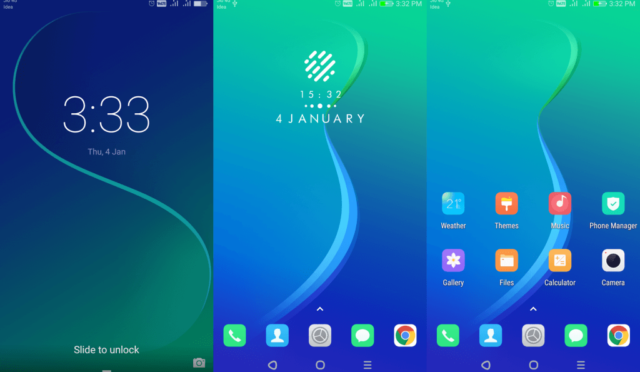
To elevate your Huawei device’s aesthetic, explore the diverse world of Huawei Themes. With a plethora of customization options, you can tailor your device to your unique style. Among the various themes available, the Wire Frame Earth Theme stands out for its sleek and minimalist design, perfect for those seeking a clean and modern look.
Wire Frame Earth EMUI Theme: A Harmonious Blend of Style and Functionality
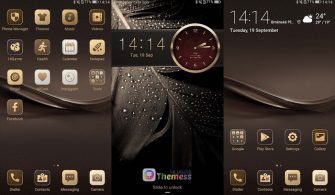
The Wire Frame Earth Theme boasts an array of stylish features, including changed app icons, cool lock screens, and widgets, as well as amazing wallpapers. To top it off, the theme is equipped with a range of useful features, such as bugs fixed and more. With its seamless integration of form and function, the Wire Frame Earth Theme is the perfect choice for those seeking a premium and polished look for their EMUI device.
Compatibility: Unlocking the Full Potential of Your Huawei Device
The Wire Frame Earth Theme is designed to be compatible with various EMUI versions, including EMUI 5.0/5.1/8.0/8.1. This ensures that you can enjoy the benefits of this sleek theme on your Huawei device, regardless of its operating system.
Frequently Asked Questions (FAQ)
What is the Wire Frame Earth Theme?
The Wire Frame Earth Theme is a Huawei theme designed to provide a sleek and minimalist look for your EMUI device. It features changed app icons, cool lock screens, and widgets, as well as amazing wallpapers, making it perfect for those seeking a premium and polished aesthetic.
Is the Wire Frame Earth Theme compatible with my device?
The Wire Frame Earth Theme is compatible with EMUI 5.0/5.1/8.0/8.1. To check if your device is compatible, ensure that your EMUI version meets the required specifications.
How do I install the Wire Frame Earth Theme?
First, download the .hwt file and move it to the Huawei/Themes folder, then apply it via the Themes app. For a detailed guide on how to install themes on your Huawei device, click here.
How do I add a theme?
To add a theme, click on the download button, find the “HWT” extension (blabla.hwt) you downloaded from the download site, copy or move the theme file you find in the file manager, and copy or move the folder HWThemes.
How to install this theme?
First, download the .hwt file and move it to the Huawei/Themes folder, then apply it via the Themes app. Click here to learn in detail.
The Wire Frame Earth Theme is a must-have for those seeking a sleek and modern look for their EMUI device. With its seamless blend of style and functionality, it’s perfect for anyone looking to elevate their Huawei device’s aesthetic. Download the Wire Frame Earth Theme today and experience the best of Huawei’s customization options.