The Ultimate Dark Mode: A Sleek and Sophisticated UI Setup for EMUI 5.0/5.1
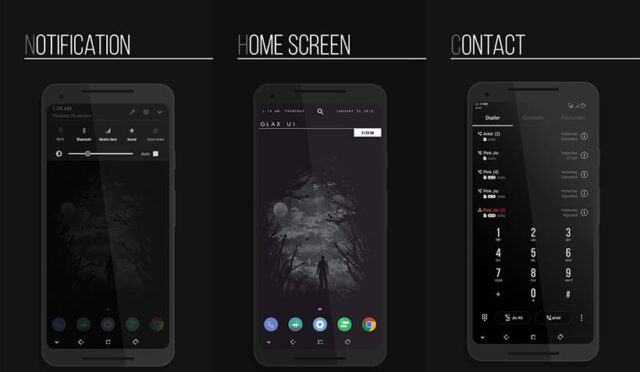
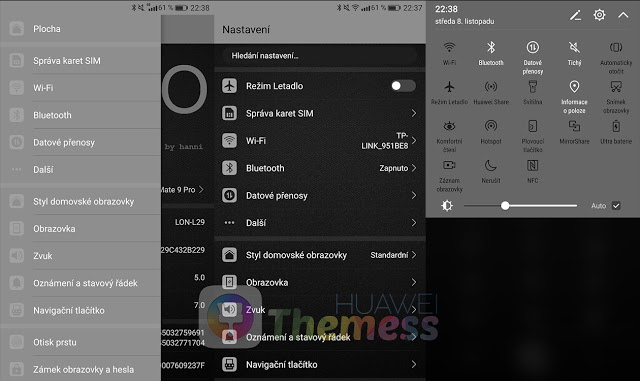
Immerse yourself in a world of minimalism and elegance with the Mono Dark 5 theme, carefully crafted to elevate your EMUI 5.0/5.1 experience. This sophisticated UI setup brings together a harmonious blend of dark accents, subtle textures, and refined typography, creating a truly premium atmosphere that will leave you wanting more.
From the moment you boot up your device, you’ll be greeted by an immersive dark mode that sets the tone for a seamless and intuitive user experience. The crisp, clean design language and refined typography ensure that every detail is meticulously crafted to provide a distraction-free environment that lets you focus on what matters most.
Compatibility: Effortlessly Seamless Integration with EMUI 5.0/5.1
The Mono Dark 5 theme is carefully designed to work seamlessly with EMUI 5.0 and 5.1, ensuring that you can enjoy the full benefits of this stunning UI setup. Whether you’re using a Huawei or Honor device, rest assured that this theme will provide a flawless and immersive experience that meets your unique needs.
Frequently Asked Questions (FAQ)
What devices are compatible with the Mono Dark 5 theme?
The Mono Dark 5 theme is designed for EMUI 5.0 and 5.1 devices, including Huawei and Honor smartphones and tablets.



How do I update the Mono Dark 5 theme?
To update the Mono Dark 5 theme, simply download the latest version from the Huawei Themess website and follow the installation instructions provided.
How to install this theme?
First, download the .hwt file and move it to the Huawei/Themes folder, then apply it via the Themes app. Click here to learn in detail.
With its impeccable design and seamless integration with EMUI 5.0/5.1, the Mono Dark 5 theme is a must-have for anyone seeking a premium UI experience. Say goodbye to clutter and hello to a world of minimalism and sophistication – download the Mono Dark 5 theme today and discover a new level of elegance on your Huawei or Honor device.