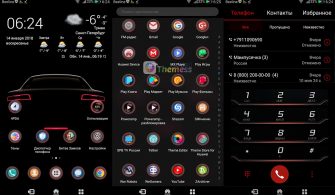
Get ready to breathe new life into your Huawei or Honor device with EMUIMIX, a sleek and modern EMUI 5.0/5.1 theme that promises to deliver a unique look and feel. With its stunning wallpapers, flat icons, and stylish weather widget, this theme is the perfect solution for those seeking a refreshing change from the standard EMUI experience.
EMUIMIX EMUI Theme Features: A Masterclass in Design
The EMUIMIX theme is a designer’s dream come true, boasting an impressive array of features that will elevate your EMUI experience to new heights. From its gorgeous wallpapers and revamped Play Store theme to its stylish navbar style, every detail has been carefully crafted to provide a seamless and engaging experience.
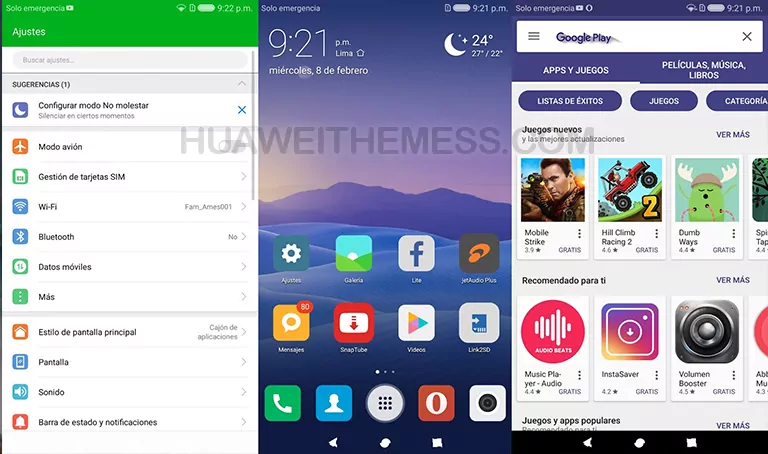
But that’s not all – EMUIMIX also brings a host of new app lookings and a range of bug fixes to ensure a smooth and trouble-free experience. This theme is a must-try for anyone looking to add a touch of sophistication to their device.
EMUIMIX EMUI Theme Compatibility: What You Need to Know
Before you get started, it’s essential to note that the EMUIMIX theme is compatible with EMUI 5.0 and 5.1 versions. This means you can enjoy the full range of features without worrying about compatibility issues. So, whether you’re running EMUI 5.0 or 5.1, you’re good to go!



Frequently Asked Questions (FAQ)
What devices is EMUIMIX compatible with?
EMUIMIX is specifically designed for Huawei and Honor devices running EMUI 5.0 or 5.1. It’s essential to ensure that your device meets these system requirements before installing the theme.
How do I apply the EMUIMIX theme?
To apply the EMUIMIX theme, simply download the .hwt file and move it to the Huawei/Themes folder. Then, use the Themes app to apply the theme. For more detailed instructions, click here.
Can I customize the EMUIMIX theme?
Yes, you can customize the EMUIMIX theme to suit your personal preferences. Each feature can be adjusted to provide a unique look and feel for your device. Have fun exploring the theme’s settings!
How do I reset the EMUIMIX theme to its default settings?
To reset the EMUIMIX theme to its default settings, simply restart your device and follow the on-screen instructions. This will restore the theme to its original state, allowing you to start fresh and explore the theme’s features once again.
How to install this theme?
First, download the .hwt file and move it to the Huawei/Themes folder, then apply it via the Themes app. Click here to learn in detail.