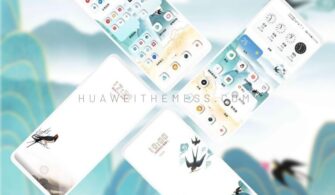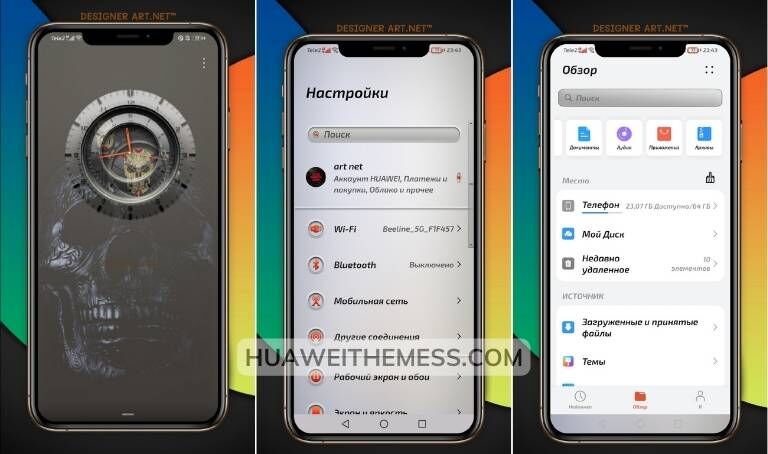
Get ready to take your Huawei device to the next level with the stunning White F theme, a game-changing HarmonyOS UI experience that brings a fresh new look to your screen. With its sleek design and intuitive layout, this theme is a must-have for anyone looking to give their device a premium feel without sacrificing functionality.
White F Theme: Sleek and Modern HarmonyOS UI Features on Your Huawei Device
The White F theme is a masterclass in design, offering a range of exciting features to enhance your Huawei device experience.
From its stunning wallpapers to its stylish app icons and layouts, the White F theme is a comprehensive solution for anyone looking to personalize their Huawei device. With its clean design and intuitive layout, this theme is perfect for those who want to give their device a fresh new look and feel.
White F Theme Compatibility: HarmonyOS/EMUI 12/11/10/9 and MagicUI 5/4/3/2
The White F theme is compatible with HarmonyOS 2/1, EMUI 12/11/10/9, and MagicUI 5/4/3/2, making it easily accessible to a wide range of Huawei and Honor device users. This compatibility also ensures that the theme is well-suited to a variety of different device types, from smartphones to tablets.
Frequently Asked Questions
What devices are compatible with the White F theme?
The White F theme is compatible with HarmonyOS 2/1, EMUI 12/11/10/9, and MagicUI 5/4/3/2 devices. It also supports a range of Huawei and Honor devices, including smartphones and tablets.
Does the White F theme offer customization options?
Yes, the White F theme offers a range of customization options, allowing you to personalize your device to suit your preferences. You can change the wallpaper, icon pack, and even the layout to create a look that’s uniquely yours.



Is the White F theme free to use?
Yes, the White F theme is completely free to use, making it a great option for those on a budget. You can download it directly from the Huawei Themes app and start enjoying a more personalized and streamlined device experience.
How to install this theme?
First, download the .hwt file and move it to the Huawei/Themes folder, then apply it via the Themes app. Click here to learn in detail.
The White F theme is a game-changer for Huawei device users, offering a sleek and modern twist on the standard HarmonyOS UI experience. With its clean design and intuitive layout, this theme is perfect for anyone looking to give their device a fresh new look and feel. So why wait? Download the White F theme today and start enjoying a more personalized and streamlined Huawei device experience.