
Get ready to elevate your Huawei or Honor device’s look and feel with the sleek and modern Exploting Grey theme, designed specifically for EMUI 10.1/10/9.1/9.0 and MagicUI 3/2 users. This theme is perfect for those who crave a refined and polished appearance that exudes sophistication.
Embracing the Grey Aesthetic on Your Huawei Device
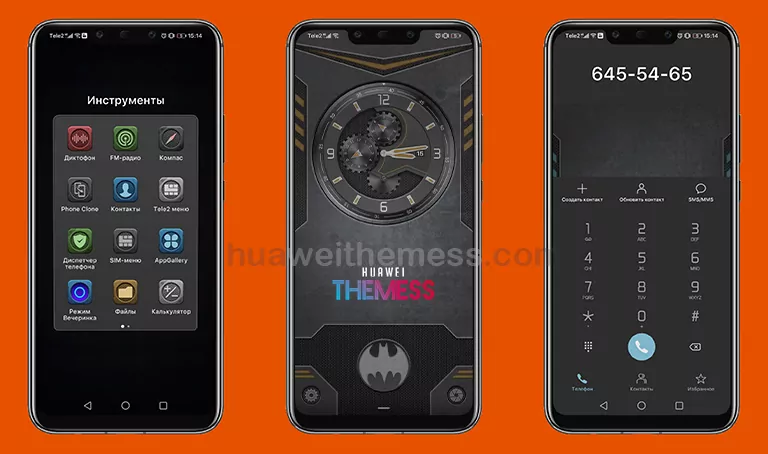
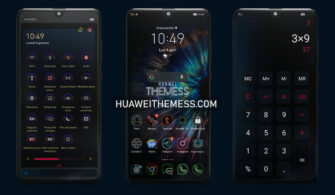
The Exploting Grey theme boasts an array of impressive features, including a mechanical lock screen, cool icons, and a sleek grey app look that will transform your device into a high-end smartphone. Plus, with the bugs fixed, you can enjoy a seamless and hassle-free user experience.
- Mechanical lock screen
- Cool Icons
- Gray App Lookings
- Bugs Fixed
- and more..
Compatibility: Running Smoothly on EMUI and MagicUI
The Exploting Grey theme is designed to work seamlessly with EMUI 10.1/10/9.1/9.0 and MagicUI 3/2, ensuring that you can enjoy the full range of features without any compatibility issues. Whether you’re using a Huawei or Honor device, this theme is perfect for delivering a premium experience.



Frequently Asked Questions
What devices are compatible with the Exploting Grey theme?
The Exploting Grey theme is designed for EMUI 10.1/10/9.1/9.0 and MagicUI 3/2 users, ensuring seamless compatibility with a wide range of Huawei and Honor devices.
How do I download and install the Exploting Grey theme?
First, download the .hwt file and move it to the Huawei/Themes folder, then apply it via the Themes app. Click here to learn in detail
Is the Exploting Grey theme free to download?
Yes, the Exploting Grey theme is available for free download on our website. Simply click on the download link to get started.
How do I report bugs or issues with the Exploting Grey theme?
If you encounter any issues with the Exploting Grey theme, please contact our support team via email or through our website’s contact form. We’ll be happy to assist you in resolving the issue.
How to install this theme?
First, download the .hwt file and move it to the Huawei/Themes folder, then apply it via the Themes app. Click here to learn in detail
The Exploting Grey theme is a game-changer for those seeking a sophisticated and refined look on their Huawei or Honor device. With its sleek grey aesthetic, impressive features, and seamless compatibility, this theme is sure to elevate your user experience to new heights.



I want my cp nd he can still use emui10 so I want to try this