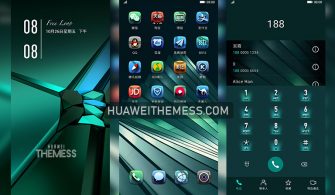
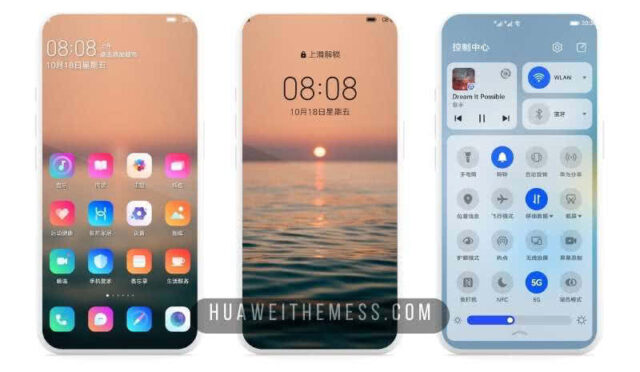
Get ready to transport your Huawei device to a bygone era with the sleek and sophisticated Hardline Retro theme. This stunning visual overhaul is designed specifically for EMUI 10.1/10/9.1/9.0 and MagicUI 3/2 users, offering a chance to personalize your phone’s look and style to your heart’s content.
Unleash the Retro Vibes: Hardline Retro Theme for MagicOS on your Huawei Device
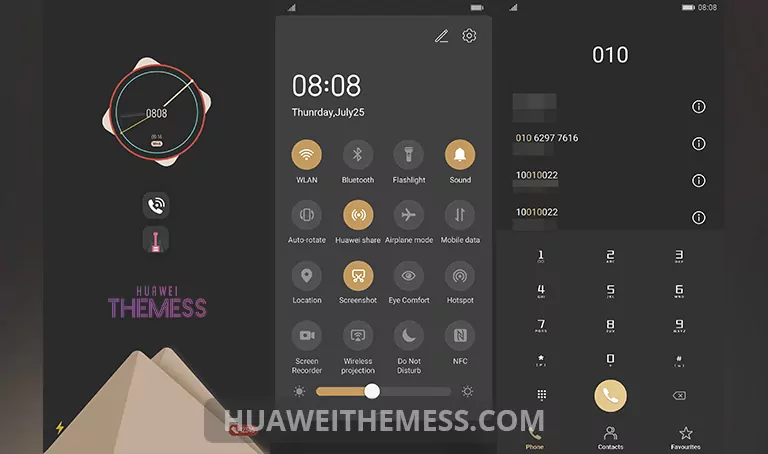
From its sweetly designed icons to its cool animations and stylish lockscreen, the Hardline Retro theme is a masterclass in blending retro charm with modern flair. The result is a visually striking experience that’s sure to turn heads. Whether you’re a fan of classic video games or simply appreciate the aesthetic of a bygone era, this theme is the perfect way to bring a touch of nostalgia to your daily device interactions.
Compatibility & Support
The Hardline Retro theme is designed to work seamlessly with EMUI 10.1/10/9.1/9.0 and MagicUI 3/2, ensuring a smooth and hassle-free experience for users of these operating systems. Whether you’re rocking the latest and greatest or still running an older version, this theme has got you covered.
Frequently Asked Questions (FAQ)
What devices are compatible with the Hardline Retro theme?
The Hardline Retro theme is designed for EMUI 10.1/10/9.1/9.0 and MagicUI 3/2 users, making it compatible with a wide range of Huawei devices.



How do I apply the Hardline Retro theme?
To apply the Hardline Retro theme, simply download the .hwt file and move it to the Huawei/Themes folder, then apply it via the Themes app. Click here to learn in detail.
Are there any bugs associated with the Hardline Retro theme?
The Hardline Retro theme has undergone rigorous testing and has been thoroughly vetted for bugs and compatibility issues. However, if you encounter any issues, feel free to reach out to our support team for assistance.
How to install this theme?
First, download the .hwt file and move it to the Huawei/Themes folder, then apply it via the Themes app. Click here to learn in detail.
The Hardline Retro theme is a must-have for anyone looking to add a touch of retro flair to their Huawei device. With its sleek design, cool animations, and stylish lockscreen, this theme is the perfect way to bring a bit of nostalgia to your daily device interactions. So why wait? Download the Hardline Retro theme today and experience the best of retro chic on your Huawei device.