
Get ready to immerse yourself in a world of sleek sophistication with the Black Joker EMUI theme, designed specifically for EMUI 10.1/10/9.1/9.0 and MagicOS 3/2 users. This theme is perfect for those who crave an awesome look and style, allowing you to personalize your phone according to your unique taste. With its dark, mysterious vibe, the Black Joker theme is sure to transform your device into a stylish powerhouse.
Unveiling the Black Joker Theme: A Symphony of Dark Elegance
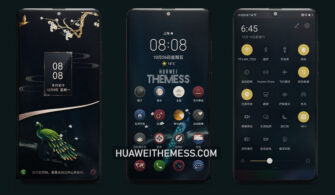
The Black Joker theme is a masterclass in dark elegance, boasting a range of features that will leave you mesmerized. The theme’s palette is dominated by an inky black hue, accented with subtle hints of dark gray and deep red, creating a sophisticated and mysterious atmosphere. The Joker wallpapers add a touch of whimsy, while the black icons and app lookings maintain a sense of cohesion and refinement.
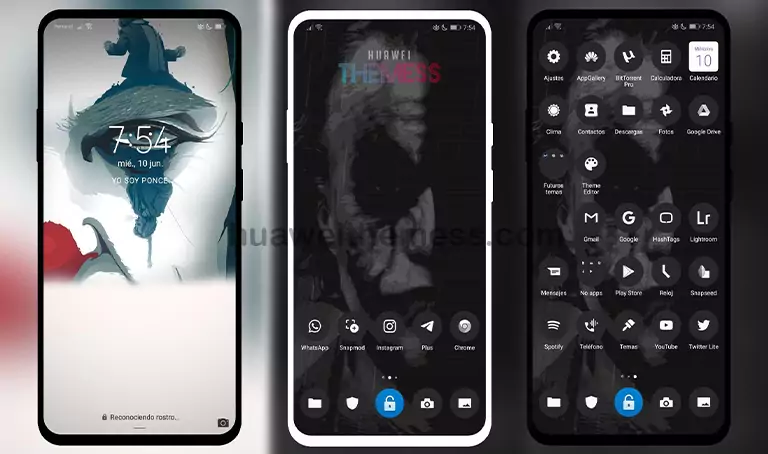
Compatibility: Running Smoothly on EMUI and MagicOS
The Black Joker theme has been meticulously crafted to ensure seamless compatibility with EMUI 10.1/10/9.1/9.0 and MagicOS 3/2. This theme is designed to work in perfect harmony with your device’s operating system, guaranteeing a lag-free and glitch-free experience.



Frequently Asked Questions
What devices is the Black Joker theme compatible with?
The Black Joker theme is compatible with EMUI 10.1/10/9.1/9.0 and MagicOS 3/2 devices.
How do I apply the Black Joker theme?
To apply the theme, simply download the .hwt file and move it to the Huawei/Themes folder, then apply it via the Themes app. Click here to learn in detail.
Is the Black Joker theme free to download?
Yes, the Black Joker theme is available for free download on our website.
How to install this theme?
First, download the .hwt file and move it to the Huawei/Themes folder, then apply it via the Themes app. Click here to learn in detail.
The Black Joker theme is a masterclass in dark elegance, boasting a range of features that will leave you mesmerized. With its sophisticated and mysterious atmosphere, this theme is perfect for those who crave an awesome look and style. Whether you’re a fan of dark, mysterious vibes or simply looking to transform your device into a stylish powerhouse, the Black Joker theme is sure to impress.




There is no. hwt file. How do use this theme??
Checked. The theme can be loaded very stable. Restart the device.