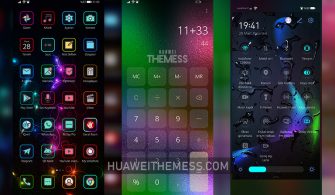
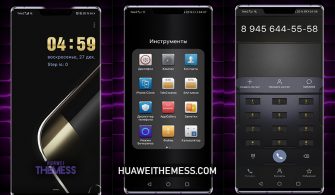
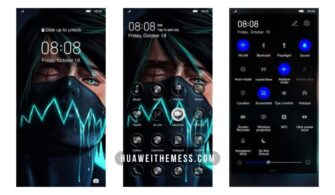
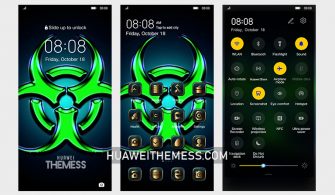
The Eagles Gaze theme is poised to revolutionize the way you interact with your Huawei device, offering a unique opportunity to experience the premium feel of an iPhone on your Android smartphone. With its sleek design and attention to detail, this theme is an absolute must-try for anyone looking to elevate their mobile experience.
Eagles Gaze EMUI Theme Features: A Symphony of Style and Function
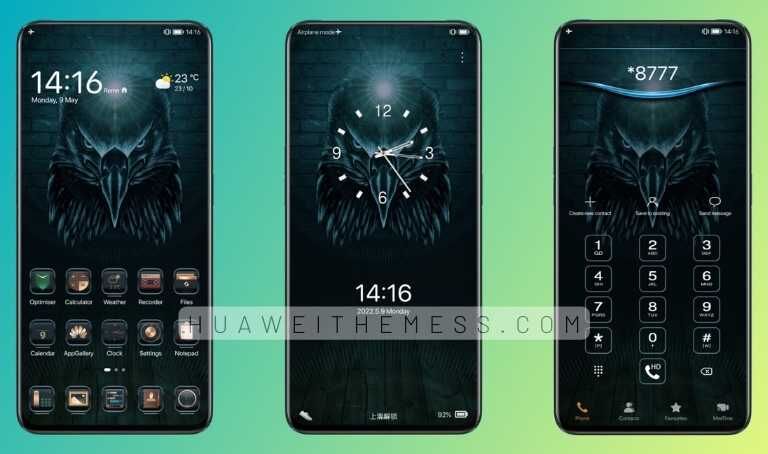
The Eagles Gaze theme boasts a stunning array of features, including brand-new wallpapers, revamped app icons, and a dynamic lockscreen that will leave you mesmerized. The theme’s stylish interface is designed to provide a seamless and intuitive experience, making it the perfect choice for anyone looking to upgrade their mobile lifestyle.
Compatibility: Supporting Your Huawei Device’s Every Need
The Eagles Gaze theme is compatible with a wide range of Huawei devices, including EMUI 12, EMUI 11, EMUI 10.1, EMUI 10, EMUI 9.1, EMUI 9.0, MagicUI 5, MagicUI 4, MagicUI 3, and MagicUI 2. Whether you’re running the latest software or an older version, this theme is designed to work seamlessly with your device, providing a premium experience that you’ll love.



Frequently Asked Questions (FAQ)
What are the system requirements for the Eagles Gaze theme?
The Eagles Gaze theme is compatible with a wide range of Huawei devices, including EMUI 12, EMUI 11, EMUI 10.1, EMUI 10, EMUI 9.1, EMUI 9.0, MagicUI 5, MagicUI 4, MagicUI 3, and MagicUI 2.
How do I download and install the Eagles Gaze theme?
To download and install the Eagles Gaze theme, simply click on the download button below, find the “HWT” extension (blabla.hwt) you downloaded from the download site, copy or move the theme file you find in the file manager, and apply it via the Themes app.
How do I add a theme to my Huawei device?
To add a theme to your Huawei device, click on the download button below, find the “HWT” extension (blabla.hwt) you downloaded from the download site, copy or move the theme file you find in the file manager, and apply it via the Themes app.
How to install this theme?
First, download the .hwt file and move it to the Huawei/Themes folder, then apply it via the Themes app. Click here to learn in detail.
The Eagles Gaze theme is a game-changer for Huawei device users, offering a premium experience that’s hard to find elsewhere. With its sleek design, attention to detail, and seamless functionality, this theme is an absolute must-try for anyone looking to elevate their mobile lifestyle. So why wait? Download the Eagles Gaze theme today and experience the best of Huawei for yourself!