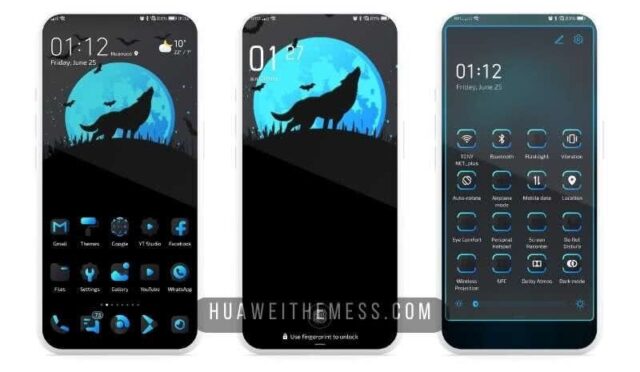
Get ready to transport yourself to the charming streets of London with the British Recollection theme, now available for EMUI 11 and MagicUI 4 users. This stunning theme offers an unparalleled level of customization, allowing you to personalize your phone to reflect your unique style and preferences.
British Recollection: A Dose of British Refinement for Your Huawei Device
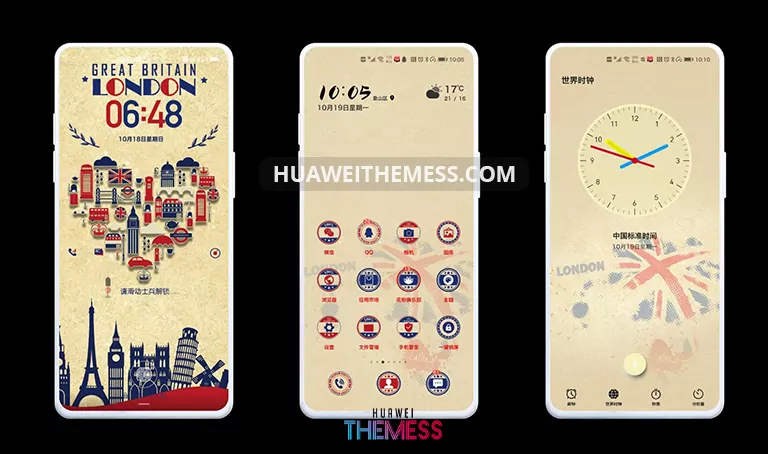
The British Recollection theme is a masterclass in understated sophistication, bringing a touch of British elegance to your Huawei device. With its sleek London Lockscreen, cool icons, and stylish widgets, this theme is perfect for those who appreciate a refined and polished look.
- London Lockscreen
- Cool Icons
- Stylish Widget
- Changed App Looking
- and more..
Compatibility: Seamlessly Integrating with EMUI 11 and MagicUI 4
The British Recollection theme is designed to work seamlessly with EMUI 11 and MagicUI 4, ensuring a smooth and uninterrupted user experience. Whether you’re running the latest EMUI 11 or MagicUI 4, this theme is sure to bring a touch of sophistication to your device.



Frequently Asked Questions (FAQ)
What devices is the British Recollection theme compatible with?
The British Recollection theme is compatible with Huawei devices running EMUI 11 and MagicUI 4.
How do I download the British Recollection theme?
You can download the British Recollection theme from the official Huawei Themess website by clicking on the download button below.
How do I install the British Recollection theme?
First, download the .hwt file and move it to the Huawei/Themes folder, then apply it via the Themes app.
How do I add a theme to my Huawei device?
Click on the download button below, find the “HWT” extension (blabla.hwt) you downloaded from the download site, copy or move the theme file you find in the file manager, and copy or move the folder HWThemes.
How to install this theme?
First, download the .hwt file and move it to the Huawei/Themes folder, then apply it via the Themes app. Click here to learn in detail.
The British Recollection theme is a true masterpiece of design, offering a sophisticated and refined aesthetic that’s sure to elevate your Huawei device to the next level. With its sleek and polished look, this theme is perfect for those who appreciate a touch of British elegance in their daily lives.