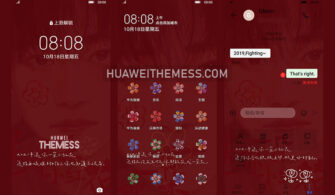
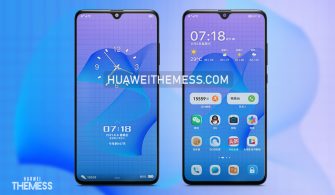
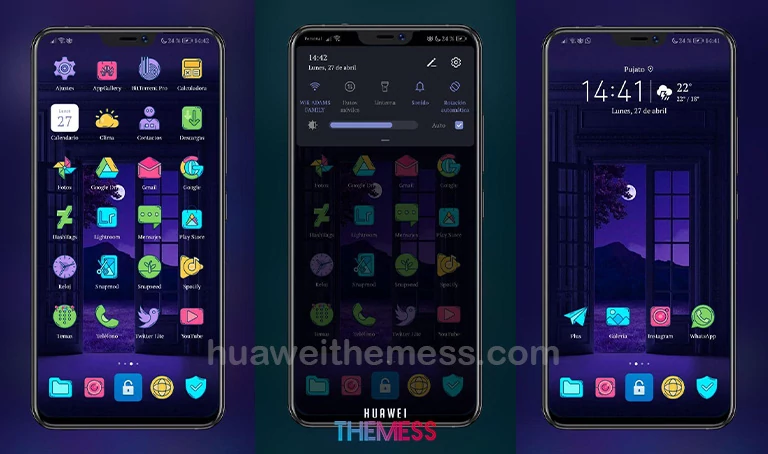
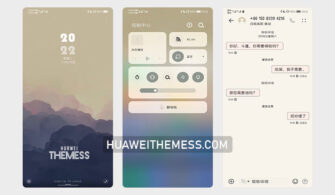
Get ready to elevate your Huawei device’s aesthetic with the stunning Each Forget theme, designed specifically for HarmonyOS 2/1, EMUI 12/11/10/9, and MagicUI 5/4/3/2 users. This theme is the perfect way to personalize your phone’s look and style, giving you a unique and eye-catching appearance that sets you apart from the crowd. With its minimalistic design and sleek features, the Each Forget theme is a must-try for anyone looking to give their device a fresh new look.
Each Forget EMUI Theme: A Symphony of Minimalism
The Each Forget theme is an exquisite blend of modern minimalism and elegance, offering a stunning visual experience that will captivate your senses. With its clean and neat layout, revamped UI, and impressive features, this theme is a game-changer for your Huawei device. The icons are sleek and modern, the notification panel is a masterpiece, and the settings are better than ever. This theme is a testament to the power of minimalism, where less is indeed more.
The Each Forget theme is not just a visual treat; it’s also a testament to the power of innovation. With its smooth interface and bug-free functionality, this theme is a delight to use. Whether you’re a casual user or a power user, the Each Forget theme has something for everyone. So why wait? Download this theme today and experience the ultimate in minimalistic design and functionality.
Each Forget EMUI Theme Compatibility
The Each Forget theme is compatible with HarmonyOS 2/1, EMUI 12/11/10/9, and MagicUI 5/4/3/2, making it an ideal choice for a wide range of Huawei devices. Whether you’re using the latest EMUI 12 or an older version, this theme will enhance your device’s look and feel, giving you a seamless user experience.



Frequently Asked Questions
What devices is the Each Forget theme compatible with?
The Each Forget theme is compatible with HarmonyOS 2/1, EMUI 12/11/10/9, and MagicUI 5/4/3/2, making it an ideal choice for a wide range of Huawei devices.
How do I install the Each Forget theme?
First, download the .hwt file and move it to the Huawei/Themes folder, then apply it via the Themes app. Click here to learn in detail.
Is the Each Forget theme free to use?
Yes, the Each Forget theme is completely free to use, making it a great choice for anyone looking to give their device a fresh new look without breaking the bank.
How do I add a theme?
To add a theme, click on the download button below. Find the “HWT” extension (blabla.hwt) you downloaded from the download site. Copy or move the theme file you find in the file manager. Copy or move the folder HWThemes. Click on the Themes app and apply the theme.
How to install this theme?
First, download the .hwt file and move it to the Huawei/Themes folder, then apply it via the Themes app. Click here to learn in detail.
The Each Forget theme is a masterpiece of minimalistic design, offering a stunning visual experience that will captivate your senses. With its clean and neat layout, revamped UI, and impressive features, this theme is a must-try for anyone looking to give their device a fresh new look. Whether you’re a casual user or a power user, the Each Forget theme has something for everyone. So why wait? Download this theme today and experience the ultimate in minimalistic design and functionality.