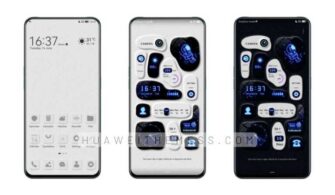
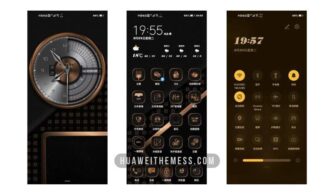
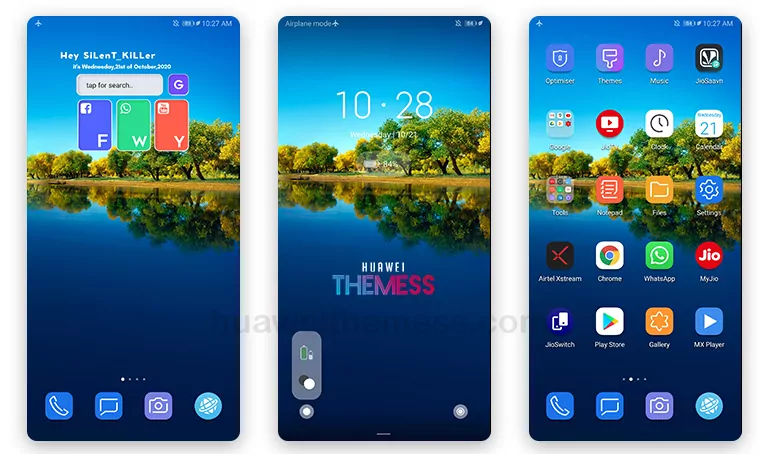
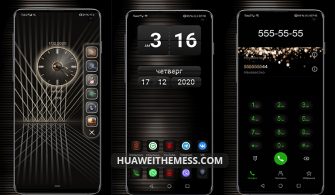
Get ready to elevate your Huawei device’s aesthetic with the Northern Light theme, designed specifically for HarmonyOS 2/1, EMUI 12/11/10/9, and MagicUI 4/3/2 users. This theme boasts an impressive array of features that will transform your phone’s look and feel, making it a must-have for anyone seeking a premium Apple-inspired experience on their Huawei device.
Northern Light EMUI Theme Features: Elevating the User Interface
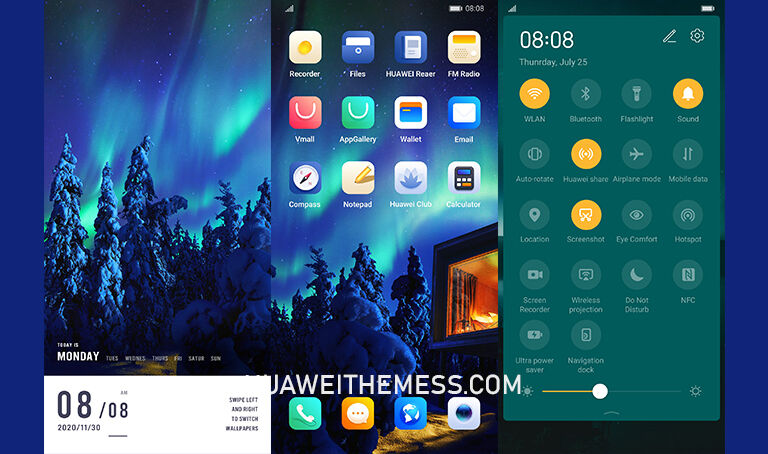
The Northern Light theme takes the EMUI experience to a whole new level with its modern and sleek design. The theme’s clean and minimalistic layout makes it perfect for those who want a clutter-free interface. With a wide range of customization options, you can personalize your phone to fit your unique style. The theme’s stylish app icons, cool lockscreen, and smooth interface make it a standout feature among other themes.
Northern Light EMUI Theme Compatibility: Seamless Integration with EMUI/MagicOS Versions
The Northern Light theme is designed to work seamlessly with HarmonyOS 2/1, EMUI 12/11/10/9, and MagicUI 4/3/2 versions, ensuring that it integrates perfectly with your device’s operating system. This compatibility makes it easy to switch between different versions without any compatibility issues.
Frequently Asked Questions (FAQ)
What are the system requirements for the Northern Light theme?
The Northern Light theme is compatible with HarmonyOS 2/1, EMUI 12/11/10/9, and MagicUI 4/3/2 versions, ensuring seamless integration with your device’s operating system.



How do I download and install the Northern Light theme?
To download and install the Northern Light theme, click on the download button below, find the “HWT” extension (blabla.hwt) you downloaded from the download site, and copy or move the theme file to the Huawei/Themes folder, then apply it via the Themes app.
Can I customize the Northern Light theme?
Yes, the Northern Light theme comes with a wide range of customization options, allowing you to personalize your phone to fit your unique style.
How to install this theme?
First, download the .hwt file and move it to the Huawei/Themes folder, then apply it via the Themes app. Click here to learn in detail.
The Northern Light theme is a game-changer for anyone seeking a premium Apple-inspired experience on their Huawei device. With its sleek design, modern look, and seamless integration with EMUI/MagicOS versions, it’s a must-have for anyone looking to level up their device’s aesthetic. Don’t settle for a bland interface – upgrade to the Northern Light theme and experience the best of Huawei’s design.