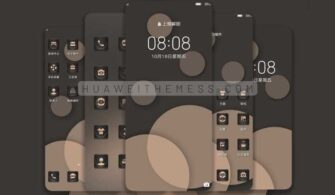
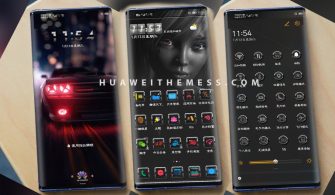
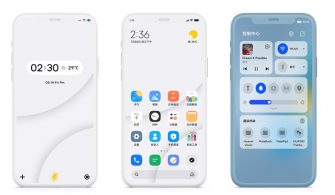
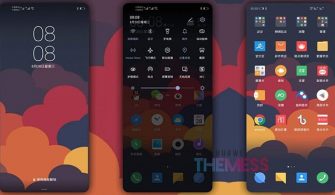
This Rattan Violet theme is designed for Huawei and Honor device users who crave a unique visual experience. With its clean and minimalist design, this theme offers a refreshing twist on the traditional interface, allowing users to personalize their device according to their style.
Rattan Violet EMUI Theme: Elevating Your Huawei Experience
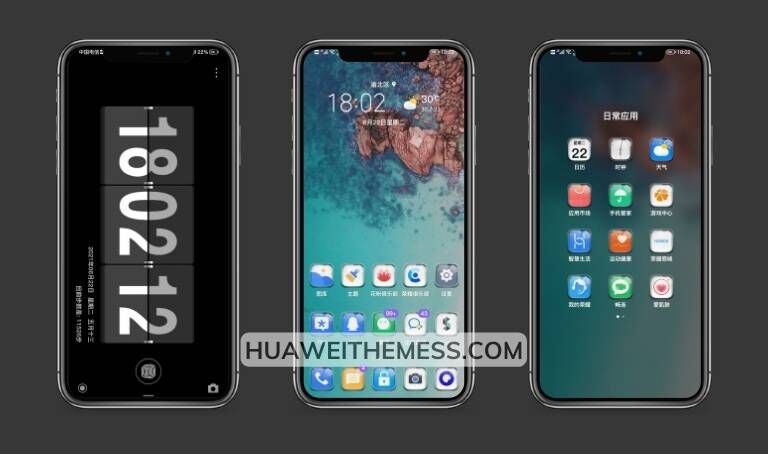
This Rattan Violet EMUI theme is an epitome of elegance, boasting a revamped UI that redefines the way you interact with your device. With a focus on simplicity and sophistication, this theme seamlessly integrates with HarmonyOS and EMUI, delivering an unparalleled user experience.
Compatibility: Harmony with HarmonyOS and EMUI
This Rattan Violet EMUI theme is designed to be compatible with the latest versions of HarmonyOS and EMUI, ensuring seamless integration and a hassle-free user experience. Whether you’re running HarmonyOS 2/1, EMUI 12/11/10/9, MagicUI 5/4/3/2, or any other compatible version, this theme has got you covered.
Frequently Asked Questions (FAQ)
What are the system requirements for this theme?
[This theme is compatible with HarmonyOS 2/1, EMUI 12/11/10/9, and MagicUI 5/4/3/2. Please ensure your device is running one of these versions before downloading.][



]
Can I customize the theme to my liking?
[Yes, you can customize the theme to suit your style. This theme offers a range of options to personalize your device, including icon packs, wallpapers, and more.][
]
How to install this theme?
[First, download the .hwt file and move it to the Huawei/Themes folder, then apply it via the Themes app. Click here to learn in detail.[
]
With its unique blend of minimalism and elegance, the Rattan Violet EMUI theme is an absolute must-try for any Huawei and Honor device user. Its seamless integration with HarmonyOS and EMUI makes it a standout choice, offering a refreshing twist on the traditional interface. Whether you’re looking for a fresh new look or simply want to elevate your device experience, this theme is sure to impress.