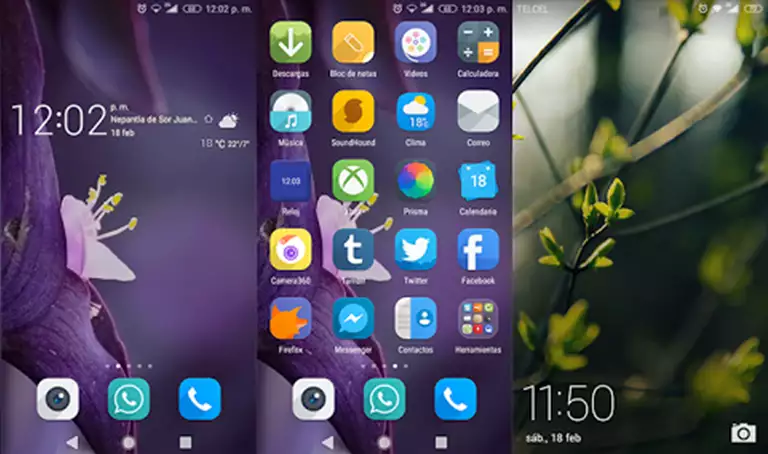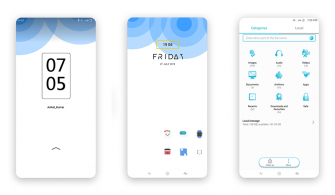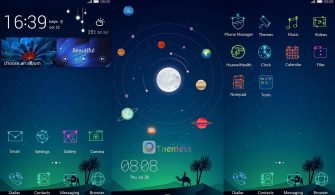
Are you looking for a simple yet elegant theme to breathe new life into your Huawei device? Look no further than the Portrait Theme, a minimalist masterpiece that’s perfect for those who prefer a clean and uncluttered interface. With its flat design and soothing color palette, this theme is an excellent choice for anyone seeking a premium look without the fuss.
Aesthetic Huawei Setup: Exploring the Minimalist Portrait Theme
- Changed Icons to Green
- Looks flat
- Stylish App Looking
- Shortcut three apps in the lock screen
- Bugs Fixed
- and more features…
Compatibility: EMUI 12/11/10/9.0, MagicUI 6/5/4/3/2
This theme is designed to work seamlessly with EMUI 12/11/10/9.0 and MagicUI 6/5/4/3/2, ensuring that you can enjoy a smooth and uninterrupted user experience. Whether you’re running the latest software or an older version, this theme is a great way to give your device a fresh new look.
Frequently Asked Questions
What is the Portrait Theme?
The Portrait Theme is a minimalist theme designed to provide a clean and uncluttered interface for your Huawei device. With its flat design and soothing color palette, it’s perfect for those who prefer a premium look without the fuss.
Can I use this theme on my EMUI 4.0/4.1 device?
Yes, the Portrait Theme is compatible with EMUI 4.0/4.1 devices, making it an excellent choice for anyone seeking a fresh new look without the hassle of upgrading to a newer version of EMUI.
How to install this theme?
First, download the .hwt file and move it to the Huawei/Themes folder, then apply it via the Themes app. Click here to learn in detail.



The Portrait Theme is a great choice for anyone seeking a simple yet elegant design for their Huawei device. With its minimalist aesthetic and flat layout, it’s perfect for those who prefer a clean and uncluttered interface. Whether you’re looking to give your device a fresh new look or simply want to simplify your user experience, this theme is definitely worth checking out.