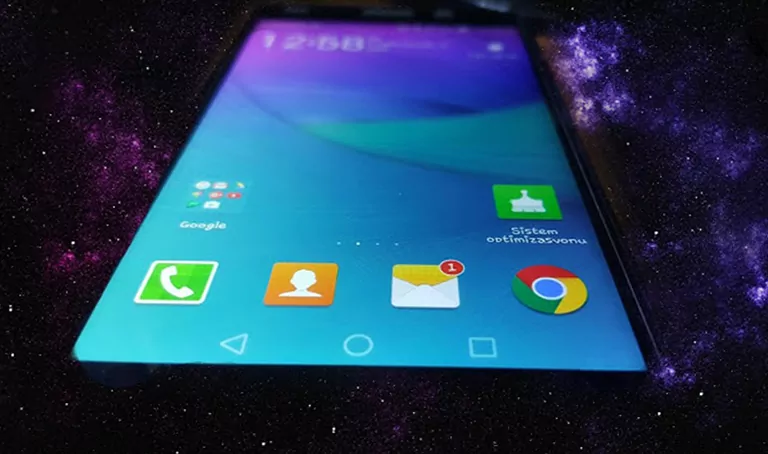
Aesthetic EMUI 4.0/4.1 Setup: Exploring the Flui2 Theme
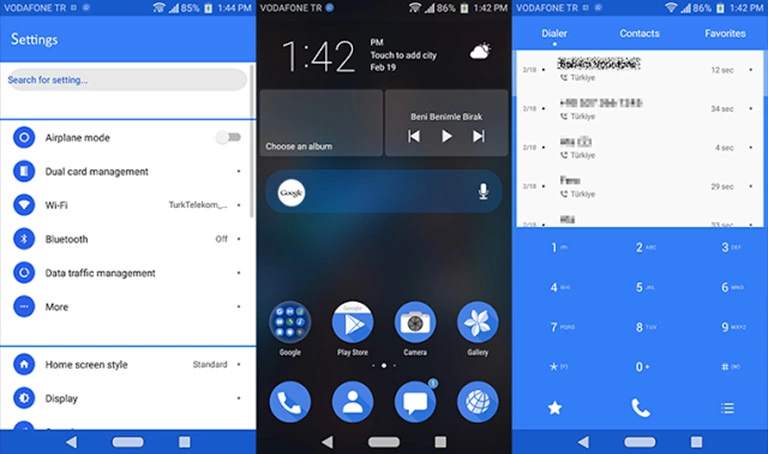
The Flui2 theme offers a sleek and modern design for EMUI 4.0/4.1 users, allowing you to personalize your device with a unique look and style. Check out our site for more themes to match your taste.
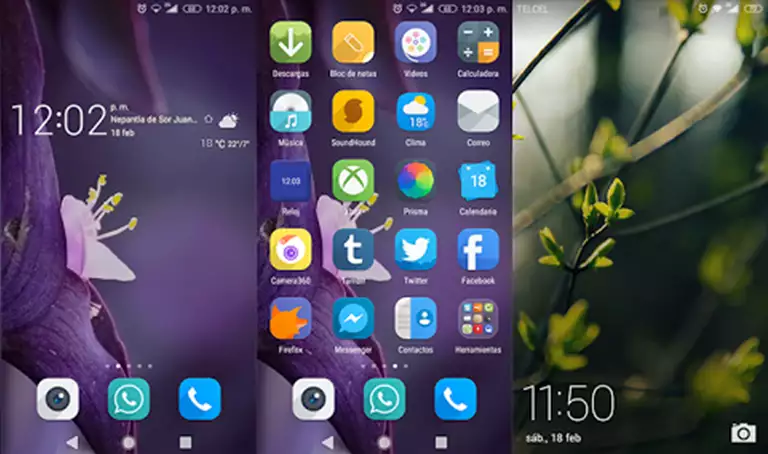
Some of the key features of the Flui2 theme include:
- Changed wallpapers to give your device a fresh new look
- Material icons to enhance the overall aesthetic
- A new lockscreen design for added functionality
- Bugs fixed to ensure a smooth user experience
Flui2 EMUI Theme Compatibility
The Flui2 theme is compatible with EMUI 4.0/4.1 devices, ensuring a seamless installation process. Make sure to check the system requirements before applying the theme.



Frequently Asked Questions
What devices is the Flui2 theme compatible with?
The Flui2 theme is compatible with EMUI 4.0/4.1 devices.
How do I apply the Flui2 theme?
To apply the Flui2 theme, you need to download the .hwt file and move it to the Huawei/Themes folder, then apply it via the Themes app. Click here to learn in detail.
How do I report bugs or issues with the Flui2 theme?
If you encounter any bugs or issues with the Flui2 theme, please contact our support team for assistance.
How to install this theme?
First, download the .hwt file and move it to the Huawei/Themes folder, then apply it via the Themes app. Click here to learn in detail.
The Flui2 theme offers a unique and modern aesthetic for EMUI 4.0/4.1 users, with features such as changed wallpapers, material icons, and a new lockscreen design. With its seamless installation process and compatibility with EMUI 4.0/4.1 devices, the Flui2 theme is a great choice for customizing your device. Whether you’re looking for a fresh new look or enhanced functionality, the Flui2 theme is definitely worth checking out.