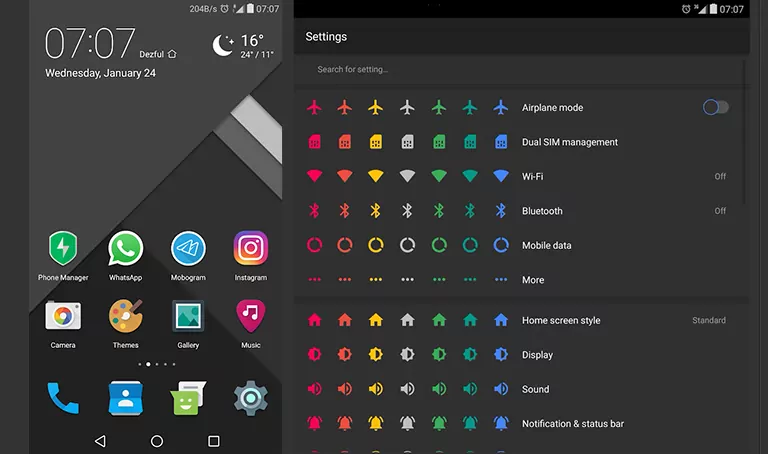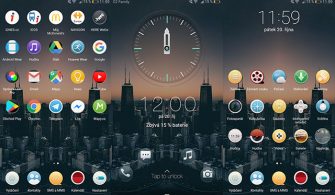
The Elegant Materials EMUI Theme is a game-changer for anyone looking to give their Huawei device a premium, high-end look. With its sleek design elements and custom icons, this theme brings a fresh and elegant feel to your EMUI device, making it stand out from the crowd.
Aesthetic iOS Setup: Exploring the Elegant Materials Theme on your Huawei Device
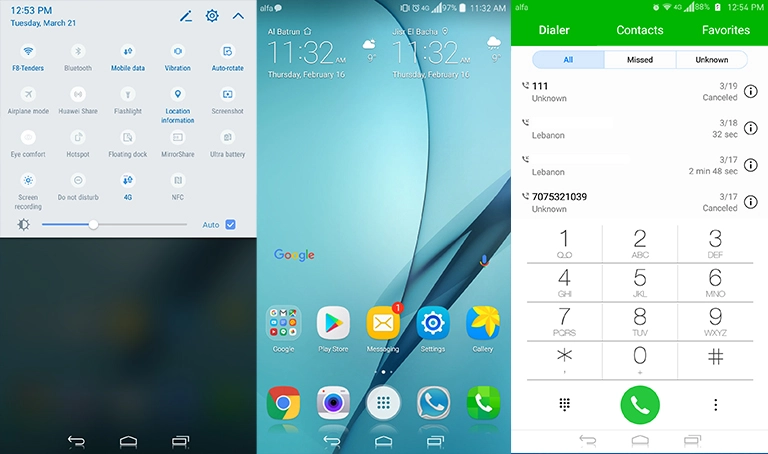
The Elegant Materials EMUI Theme features a range of design elements that give your device a premium feel, including changed icons, a new lockscreen, and a overall visually appealing design. The theme’s attention to detail and custom icons make it a great choice for those looking to personalize their device.
- Changed icons for a premium look
- New lockscreen design for added visual appeal
- Overall visually appealing design for a fresh feel
Compatibility with EMUI 5.0/5.1 Devices
The Elegant Materials EMUI Theme is compatible with EMUI 5.0 and 5.1 devices, making it a great option for those looking to upgrade their device’s look and feel without having to worry about compatibility issues.
Frequently Asked Questions
What are the key features of the Elegant Materials EMUI Theme?
The theme features changed icons, a new lockscreen, and a overall visually appealing design.][
Is the theme compatible with my EMUI device?
The theme is compatible with EMUI 5.0 and 5.1 devices.

How to install this theme?
First, download the .hwt file and move it to the Huawei/Themes folder, then apply it via the Themes app. Click here to learn in detail.
The Elegant Materials EMUI Theme completely transforms the Huawei experience, giving your device a fresh and elegant look that is sure to turn heads. With its sleek design elements and custom icons, the theme provides a premium feel that is hard to find in other themes. Overall, the Elegant Materials EMUI Theme is a great choice for anyone looking to personalize their device and give it a unique and premium look.