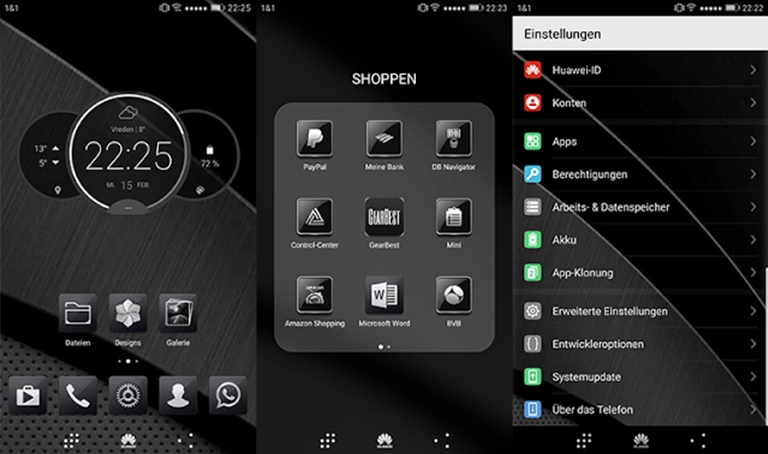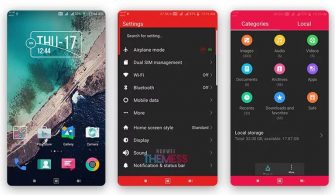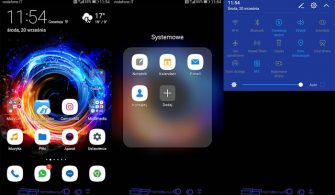
JingYingTM Theme for EMUI 5.0/5.1 is a game-changer for those seeking a refreshing and modern aesthetic for their Huawei device. This theme offers an array of exciting features that will breathe new life into your interface, making it a must-try for anyone looking to revamp their EMUI experience.
Unlock the Full Potential of JingYingTM Theme
This sleek and sophisticated theme boasts an impressive array of custom wallpapers, a revamped QuickPanel design, and a set of modern icons that will elevate your device’s overall look and feel. The new app background and other features further enhance the user experience, making JingYingTM Theme the perfect choice for those who crave a more refined and polished interface.
Compatibility and Support
JingYingTM Theme is specifically designed for EMUI 5.0 and 5.1, ensuring seamless compatibility with your Huawei device. With this theme, you can enjoy a flawless and hassle-free experience, without worrying about any compatibility issues.
Frequently Asked Questions (FAQ)
What makes JingYingTM Theme stand out from other EMUI themes?
JingYingTM Theme boasts a unique blend of modern design elements, including custom wallpapers, a revamped QuickPanel, and a set of sleek icons, making it a standout choice for those seeking a refreshing and sophisticated interface.
Is JingYingTM Theme compatible with my Huawei device?
Yes, JingYingTM Theme is specifically designed for EMUI 5.0 and 5.1, ensuring seamless compatibility with your Huawei device.



How do I install JingYingTM Theme?
First, download the .hwt file and move it to the Huawei/Themes folder, then apply it via the Themes app. Click here to learn in detail.
JingYingTM Theme for EMUI 5.0/5.1 is a must-try for anyone seeking a modern and sophisticated interface for their Huawei device. With its impressive array of features, seamless compatibility, and user-friendly installation process, this theme is sure to elevate your EMUI experience to new heights.