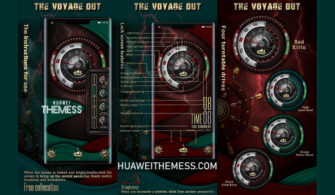
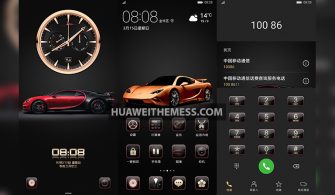
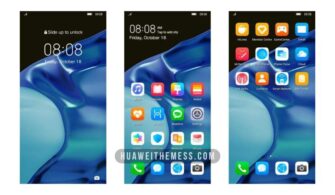
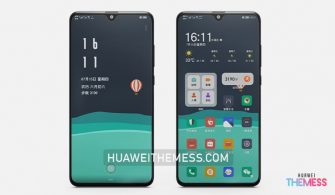
Get ready to elevate your Huawei device’s visual appeal with the “Red WT” theme, designed specifically for HarmonyOS 2/1, EMUI 12/11/10/9, and MagicUI 5/4/3/2 users. This stunning theme is perfect for those who crave a sleek, modern look and a personalized experience. With Red WT, you can transform your phone into a stylish statement piece that reflects your unique taste.
Unlock the Full Potential of Red WT EMUI Theme
Red WT EMUI Theme is an exquisite blend of style, functionality, and user experience. This theme boasts an eye-catching Red WT design, complete with new wallpapers, changed app icons, and a dynamic cool lockscreen that sets it apart from the rest. The theme’s stylish app layout and smooth interface ensure an unparalleled user experience. 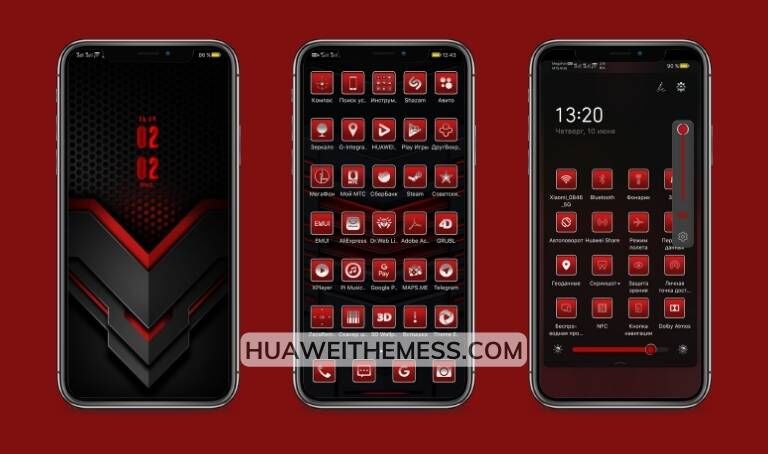
With Red WT EMUI Theme, you can enjoy a revamped UI that takes your Huawei device to the next level. The theme’s clean and neat layout, combined with its sleek design, creates a visually stunning experience that’s sure to turn heads. Whether you’re a fan of modern minimalism or just want to add a touch of elegance to your phone, Red WT EMUI Theme has got you covered.
Compatibility: Red WT EMUI Theme for HarmonyOS and EMUI Devices
Red WT EMUI Theme is designed to work seamlessly with HarmonyOS 2/1, EMUI 12/11/10/9, and MagicUI 5/4/3/2 devices. This means you can enjoy the full features and benefits of the theme without any compatibility issues. Whether you’re running the latest OS or an older version, Red WT EMUI Theme is sure to provide an excellent user experience.
Frequently Asked Questions (FAQ)
What devices is the Red WT EMUI Theme compatible with?
Red WT EMUI Theme is compatible with HarmonyOS 2/1, EMUI 12/11/10/9, and MagicUI 5/4/3/2 devices.



How do I apply the Red WT EMUI Theme?
To apply the Red WT EMUI Theme, download the .hwt file and move it to the Huawei/Themes folder, then apply it via the Themes app. You can find detailed instructions on how to install the theme on our website.
Is the Red WT EMUI Theme free to use?
Yes, the Red WT EMUI Theme is completely free to use. You can download and install it without any additional costs or subscriptions.
How to install this theme?
First, download the .hwt file and move it to the Huawei/Themes folder, then apply it via the Themes app. Click here to learn in detail.
Red WT EMUI Theme is more than just a visual makeover – it’s a comprehensive redesign that elevates your Huawei device to new heights. With its sleek, modern aesthetic and user-friendly interface, this theme is an excellent choice for anyone looking to level up their phone’s visual appeal. So why wait? Download Red WT EMUI Theme now and experience the ultimate in mobile design.