
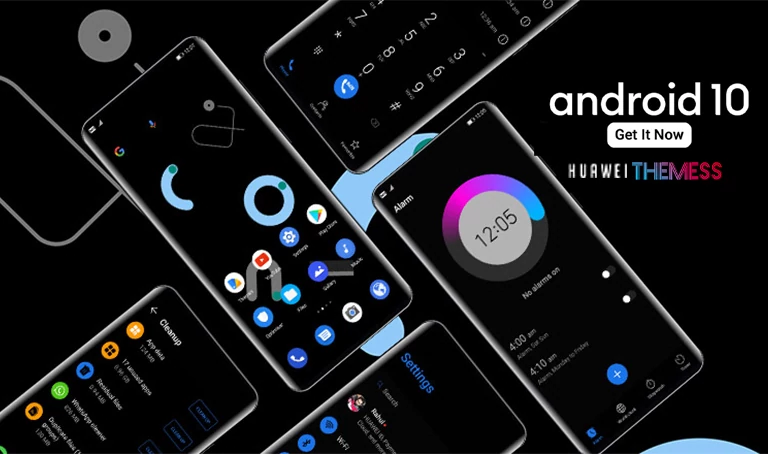
Xiangyun EMUI Theme brings a breath of fresh air to your Huawei device, merging the best of dark blue and sleek design elements into a visually stunning package. This theme is a masterclass in personalization, allowing you to tailor your phone’s look to reflect your unique personality.
Unveiling the Xiangyun EMUI Theme: A Symphony of Style and Functionality
Xiangyun EMUI Theme seamlessly integrates cool lockscreen designs, dark blue app lookings, and revamped widgets to create an immersive user experience. With a strong focus on bug fixes and performance enhancements, this theme is a must-try for anyone looking to take their EMUI experience to the next level.
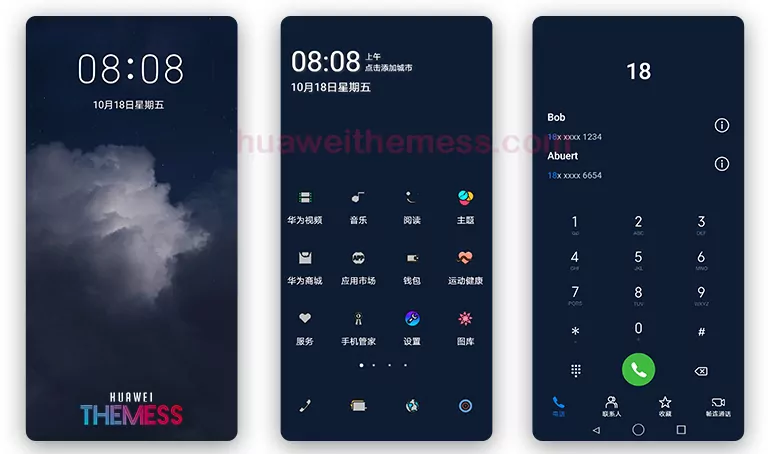
The Xiangyun EMUI Theme is a symphony of style and functionality, blending the perfect harmony of dark blue and sleek design elements to create an immersive user experience. Whether you’re looking to personalize your phone or simply want a fresh new look, this theme has got you covered.
Compatibility: Unlocking the Full Potential of Xiangyun EMUI Theme
Xiangyun EMUI Theme is designed to work seamlessly with EMUI 10.1/10/9.1/9.0 and MagicUI 3/2, ensuring that users can enjoy its features without any compatibility issues. Whether you’re running the latest EMUI version or an older one, this theme has got you covered.



Frequently Asked Questions (FAQ)
What devices is Xiangyun EMUI Theme compatible with?
Xiangyun EMUI Theme is compatible with Huawei devices running EMUI 10.1/10/9.1/9.0 and MagicUI 3/2, as well as Honor devices running MagicUI 3/2.
Can I personalize the theme to my liking?
Yes, Xiangyun EMUI Theme offers a range of personalization options, allowing you to tailor the look and feel of your device to suit your unique style.
How do I install Xiangyun EMUI Theme?
First, download the .hwt file and move it to the Huawei/Themes folder, then apply it via the Themes app. Click here to learn in detail.
Xiangyun EMUI Theme is more than just a visual overhaul – it’s an immersive experience that elevates your device to new heights. With its sleek design, dark blue accents, and seamless performance, this theme is a must-try for anyone looking to take their Huawei device to the next level.



There is no hwt file anyone help
Some devices download the file extension differently. (Eg .zip) Try converting the file extension to Huawei Theme extension (.hwt). We check every file and put it.