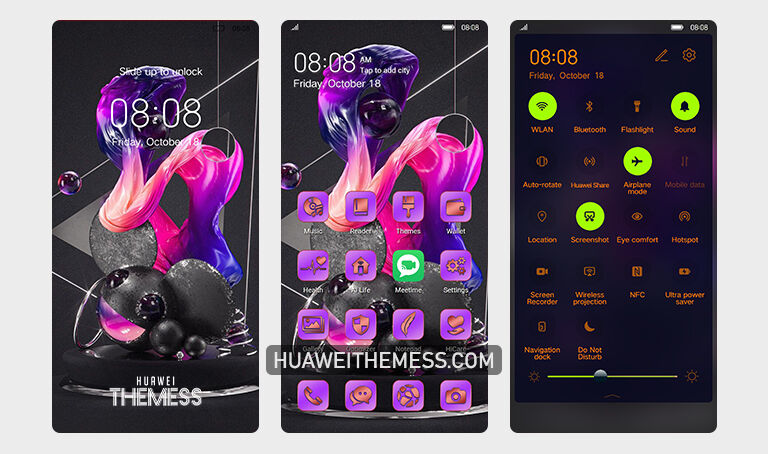
Purple Art Theme Brings a Touch of Sophistication to Your Huawei Device
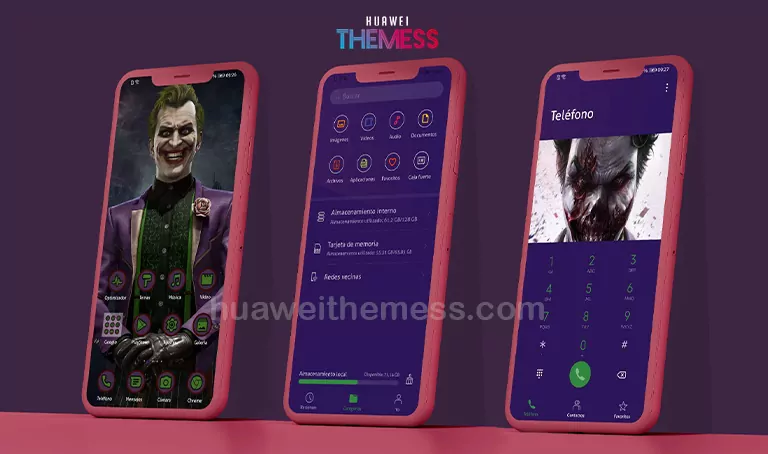
The Purple Art theme is a masterclass in design, offering a sleek and modern aesthetic that will leave you mesmerized. This stunning theme is a perfect blend of style and sophistication, making it a must-have for anyone looking to elevate their Huawei experience. With its vibrant purple hues, this theme is sure to turn heads.
A Seamless and Elegant User Experience on Your Huawei Device
Whether you’re using EMUI or MagicUI, the Purple Art theme is designed to work seamlessly with EMUI 12/11/10/9 and MagicUI 5/4/3/2, ensuring a smooth and hassle-free experience. This theme is a perfect blend of style and functionality, making it a great choice for anyone looking to add a touch of elegance to their Huawei device.
Compatibility and Support for a Wide Range of Huawei Devices
The Purple Art theme is designed to work seamlessly with a wide range of Huawei devices, including EMUI 12/11/10/9 and MagicUI 5/4/3/2. This ensures that you can enjoy a smooth and hassle-free experience, regardless of the version of EMUI or MagicUI you’re running.



Frequently Asked Questions
What are the system requirements for the Purple Art theme?
The Purple Art theme is compatible with EMUI 12/11/10/9 and MagicUI 5/4/3/2, ensuring a smooth and hassle-free experience. To apply the Purple Art theme, download the .hwt file and move it to the Huawei/Themes folder, then apply it via the Themes app. Click here to learn in detail.
How do I reset the theme to its default state?
To reset the Purple Art theme to its default state, go to the Themes app, select the Purple Art theme, and click on the ‘Reset’ button. First, download the .hwt file and move it to the Huawei/Themes folder, then apply it via the Themes app. Click here to learn in detail.
How to install this theme?
First, download the .hwt file and move it to the Huawei/Themes folder, then apply it via the Themes app. Click here to learn in detail.
The Purple Art theme is a must-have for anyone looking to add a touch of elegance to their Huawei device. With its stunning design, seamless compatibility, and user-friendly interface, this theme is sure to impress even the most discerning users. So why wait? Download the Purple Art theme today and experience the best of Huawei’s EMUI and MagicUI.