
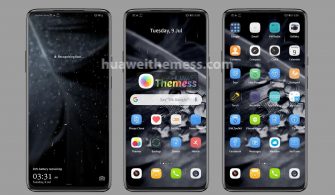
Get ready to elevate your Huawei device with the sleek and modern iOS 14 Dark theme, designed specifically for EMUI 10/9 and MagicUI 3/2 users. This theme is perfect for those who crave a premium Apple experience on their Android device, complete with dark iOS-looking visuals, iOS 14 icons, and stylish wallpapers.
iOS 14 Dark EMUI Theme Features: Bringing the Best of Apple to Your MagicOS Device
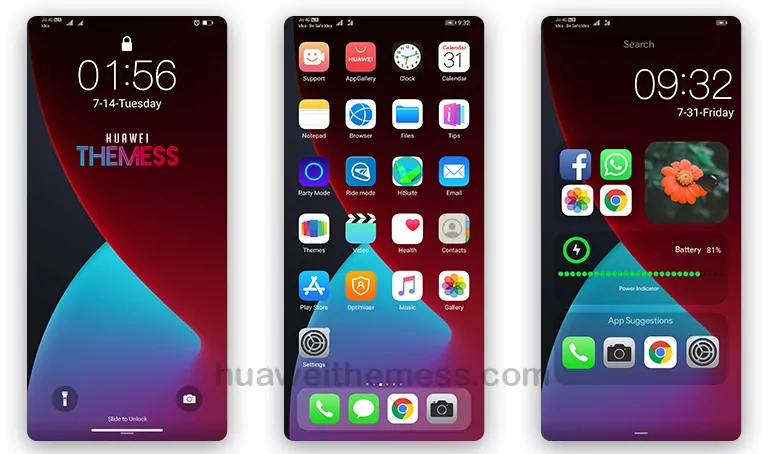
The iOS 14 Dark theme is packed with cutting-edge features that will revolutionize your smartphone experience. With this theme, you’ll get:
- A sleek and modern dark mode that perfectly captures the essence of iOS 14
- iOS 14 icons that will give your device a fresh new look
- New and stylish wallpapers to match your dark mode theme
- A stylish lockscreen that’s reminiscent of iOS 14
- Bugs fixed for a seamless and hassle-free experience
- And many more exciting features to discover!
EMUI Compatibility: Get the iOS 14 Dark Theme on Your EMUI Device
The iOS 14 Dark theme is compatible with EMUI 10.1, EMUI 10, EMUI 9.1, EMUI 9.0, MagicUI 3, and MagicUI 2. With this theme, you can enjoy the best of iOS 14 on your Huawei or Honor device.



Frequently Asked Questions: Get the Answers You Need
How does the iOS 14 Dark theme improve my device?
The iOS 14 Dark theme brings a sleek and modern look to your device, complete with dark iOS-looking visuals, iOS 14 icons, and stylish wallpapers. It’s perfect for those who want to elevate their device with a premium Apple experience.
Is the iOS 14 Dark theme compatible with my EMUI device?
Yes, the iOS 14 Dark theme is compatible with EMUI 10.1, EMUI 10, EMUI 9.1, EMUI 9.0, MagicUI 3, and MagicUI 2.
How do I install the iOS 14 Dark theme on my device?
First, download the .hwt file and move it to the Huawei/Themes folder, then apply it via the Themes app. Click here to learn in detail.
How do I restart my device after applying the theme?
To restart your device, simply press and hold the power button until the device shuts down, then press the power button again to turn it back on.
The iOS 14 Dark theme is a game-changer for anyone who wants to give their device a premium Apple vibe. With its sleek and modern design, iOS 14 icons, and stylish wallpapers, this theme is sure to impress. Try it out today and elevate your smartphone experience!



good