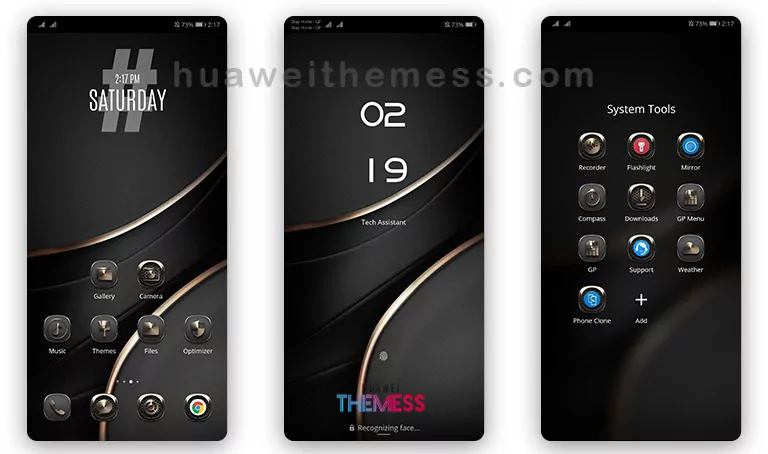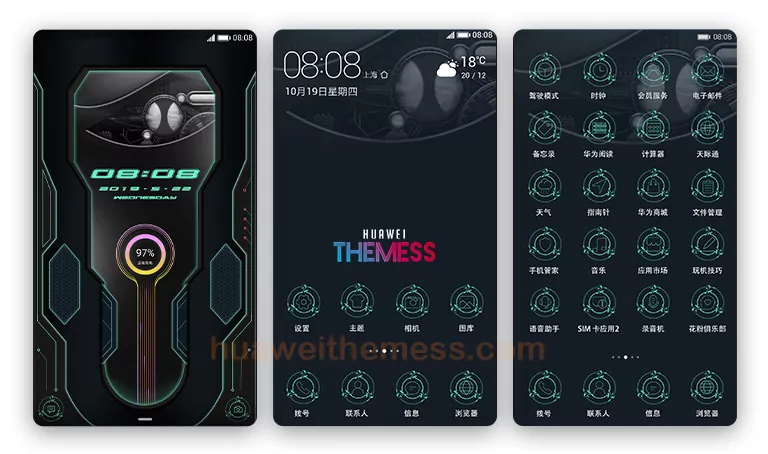
Get ready to elevate your EMUI 8.0/8.1 experience with the Grand Theme, a masterpiece of design that redefines the boundaries of a typical Huawei theme. With its stunning visuals and intuitive layout, this theme is sure to captivate your senses and leave you wanting more.
The Grand Theme: A Symphony of Style and Functionality
At the heart of the Grand Theme lies a harmonious blend of style and functionality. The theme’s sleek and modern design language is characterized by a bold color palette, crisp typography, and a carefully curated selection of wallpapers, icons, and lockscreen patterns.
The Grand Theme is a perfect reflection of the premium Apple experience on your Huawei device, combining the best of both worlds to create a truly unique visual identity. Whether you’re a fan of minimalism or bold statement pieces, this theme has something to offer everyone.
Compatibility and System Requirements
The Grand Theme is designed to work seamlessly with EMUI 8.0 and 8.1, ensuring a glitch-free installation and a smooth user experience. With its robust compatibility, this theme is perfect for those who want to upgrade their EMUI experience without compromising on performance.
Frequently Asked Questions
What are the system requirements for the Grand Theme?
The Grand Theme is compatible with EMUI 8.0 and 8.1, and requires no additional software or hardware upgrades.
How do I install the Grand Theme?
To install the Grand Theme, simply download the .hwt file, move it to the Huawei/Themes folder, and apply it via the Themes app.
Can I customize the theme to my liking?
Yes, the Grand Theme allows for a high degree of customization, enabling you to personalize your EMUI experience to suit your unique tastes and preferences.
How do I add a theme?
To add a theme, click on the download button, find the .hwt file in the file manager, and copy or move the theme file to the Huawei/Themes folder.
How to install this theme?
First, download the .hwt file and move it to the Huawei/Themes folder, then apply it via the Themes app. Click here to learn in detail.
The Grand Theme is a true masterpiece of design, offering a unique and captivating visual experience that sets it apart from the rest. Whether you’re a fan of minimalism or bold statement pieces, this theme has something to offer everyone. With its stunning visuals, intuitive layout, and robust compatibility, the Grand Theme is a must-try for anyone looking to elevate their EMUI experience.