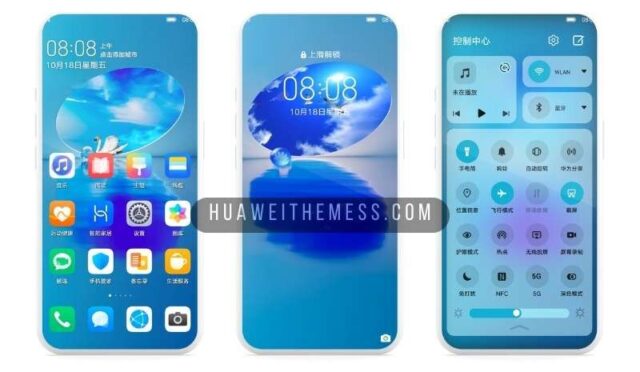
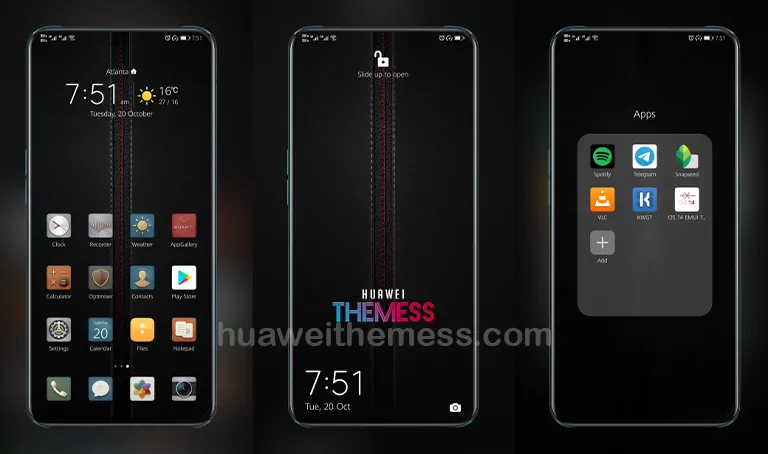
Get ready to transform your Huawei device with the most majestic theme yet – “The King EMUI Theme”. This stunning dark blue and gold masterpiece is a game-changer, offering an unparalleled level of sophistication and elegance that will leave onlookers speechless. With its regal design and seamless functionality, The King EMUI Theme is the perfect choice for anyone looking to give their phone a premium makeover.
The King EMUI Theme: A Symphony of Style and Function
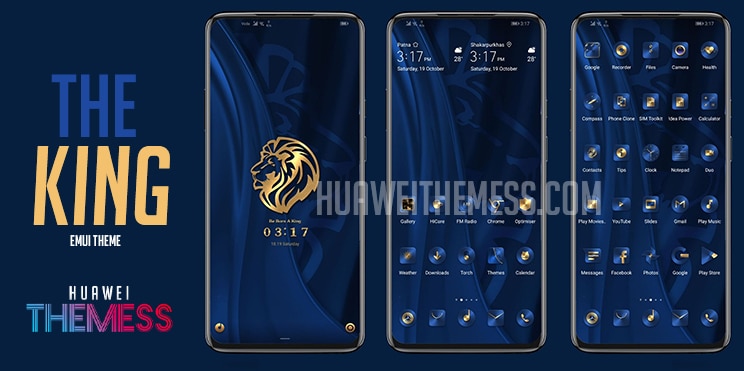
From its striking color scheme to its meticulously crafted widgets, The King EMUI Theme is a true masterpiece. The dark blue and gold hues perfectly blend together to evoke a sense of premium quality and sophistication, making it the perfect choice for anyone looking to upgrade their phone’s aesthetic.
Compatibility Made Easy: Supported EMUI Versions
The King EMUI Theme is compatible with a range of EMUI versions, ensuring that you can enjoy its sleek design and features regardless of your device’s specifications. Whether you’re running EMUI 9 or the latest EMUI 9.1, this theme is designed to work seamlessly with your device, providing a hassle-free upgrade to your phone’s aesthetic.
Frequently Asked Questions
What features can I expect from The King EMUI theme?
The King EMUI Theme boasts a range of features, including a dark blue wallpaper, blue and gold colored icons, changed widgets, and more. Its sleek design and attention to detail make it the perfect choice for anyone looking to give their phone a premium makeover.

Is the theme compatible with my EMUI version?
Yes, The King EMUI Theme is compatible with a range of EMUI versions, including EMUI 9 and EMUI 9.1. This ensures that you can enjoy its features and design regardless of your device’s specifications.
How to install this theme?
First, download the .hwt file and move it to the Huawei/Themes folder, then apply it via the Themes app. Click here to learn in detail.
The King EMUI Theme is a truly regal experience that will take your Huawei device to the next level. With its sleek design and seamless functionality, this theme is a must-have for anyone looking to give their phone a premium makeover. Whether you’re a fan of dark blue and gold hues or simply want to upgrade your phone’s aesthetic, The King EMUI Theme is sure to deliver.