Unleashing the Sophisticated Side of EMUI 5.0 with Ocean Time Theme
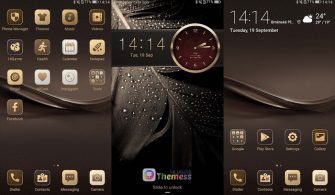
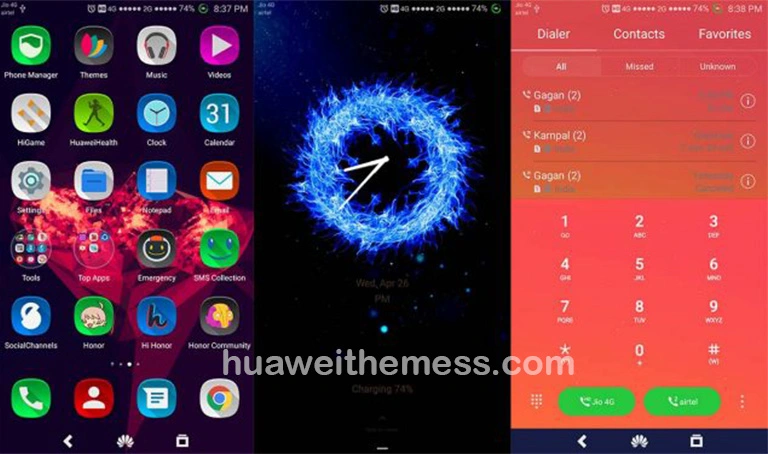
Ocean Time Theme is a game-changer for Huawei device users, offering a cutting-edge clock interface that elevates the entire user experience. By incorporating a massive clock on the lock screen, Ocean Time Theme provides an elegant and modern twist to the traditional Android interface.
Featuring a sleek design that seamlessly integrates with your device’s existing EMUI 5.0 interface, Ocean Time Theme is a must-have for anyone looking to give their Huawei device a premium makeover. From the revamped lock screen to the new wallpapers and icons, every detail has been meticulously crafted to provide a cohesive and visually stunning experience.
Unlocking the Full Potential of Ocean Time Theme on Your Huawei Device
Ocean Time Theme is compatible with EMUI 5.0, allowing you to enjoy a seamless and bug-free experience. With its sleek design and cutting-edge features, this theme is perfect for users who want to take their Huawei device to the next level.
Frequently Asked Questions (FAQ)
What are the system requirements for Ocean Time Theme?
Ocean Time Theme is compatible with EMUI 5.0 and requires no additional installation or configuration.
Can I customize the Ocean Time Theme to suit my preferences?
While Ocean Time Theme offers a sleek and modern design, users can further customize the theme by adjusting the lock screen settings and selecting from various wallpapers and icons.



How do I install Ocean Time Theme?
To install Ocean Time Theme, simply download the .hwt file and move it to the Huawei/Themes folder. Then, apply the theme via the Themes app.
How do I add a theme?
To add a theme, click the download button, find the “HWT” extension (blabla.hwt) you downloaded from the download site, copy or move the theme file you find in the file manager, and copy or move the folder HWThemes.
How to install this theme?
First, download the .hwt file and move it to the Huawei/Themes folder, then apply it via the Themes app. Click here to learn in detail.
Ocean Time Theme: A Sleek and Modern Twist to EMUI 5.0
Ocean Time Theme is a revolutionary theme that takes your Huawei device to new heights. With its sleek design, cutting-edge features, and seamless integration with EMUI 5.0, this theme is a must-have for anyone looking to give their device a premium makeover. Whether you’re looking for a modern twist on the traditional Android interface or simply want to elevate your user experience, Ocean Time Theme is the perfect choice.