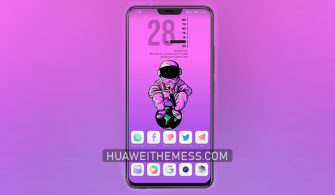
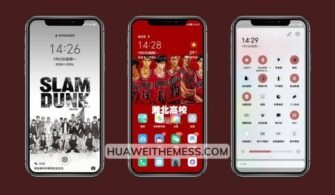
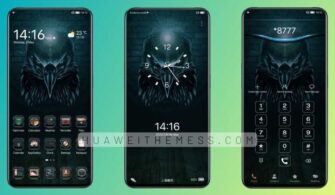
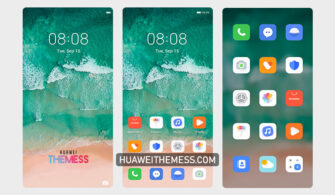
Get ready to elevate your Huawei or Honor device with a refreshing splash of anime-inspired style. This Anime Girly Theme is a masterpiece of design, blending vibrant colors and whimsical elements to create a one-of-a-kind aesthetic that’s sure to turn heads. Whether you’re a fan of Japanese pop culture or simply looking for a unique way to personalize your device, this theme is a must-try.
Anime Girly Theme: Vibrant Features & Elegant Design
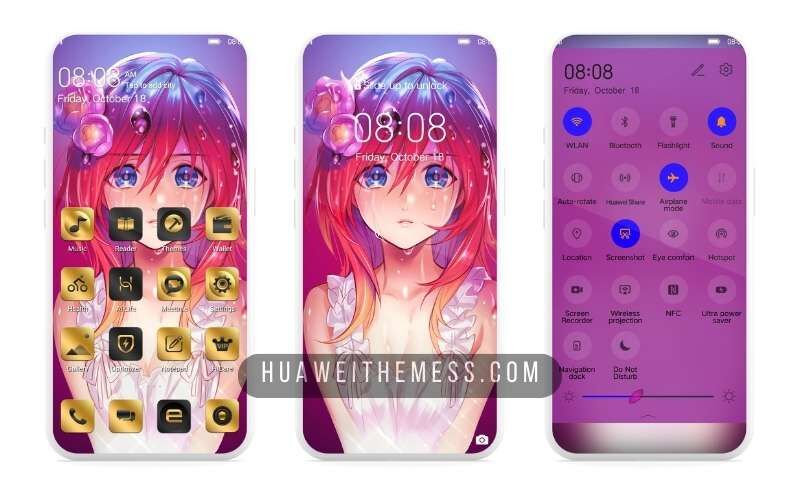
This Anime Girly Theme is more than just a pretty face – it’s a comprehensive design overhaul that transforms your Huawei or Honor device into a stunning work of art. With its eclectic mix of bright colors, playful patterns, and sleek animations, this theme is the perfect blend of fun and sophistication. Say goodbye to boring device looks and hello to a vibrant, eye-catching experience that’s sure to delight.
Compatibility: Seamless Integration on EMUI & Magic UI
This Anime Girly Theme is designed to work seamlessly on a wide range of EMUI and Magic UI versions, ensuring that you can enjoy its stunning visuals and smooth performance on your Huawei or Honor device. Whether you’re rocking EMUI 12, 11, 10, or 9.0, or Magic UI 6, 5, 4, 3, or 2, this theme is compatible with your device, guaranteed.



Frequently Asked Questions (FAQ)
What devices is the Anime Girly Theme compatible with?
This theme is compatible with Huawei and Honor devices running EMUI 12, 11, 10, or 9.0, as well as Magic UI 6, 5, 4, 3, or 2.
How do I install this theme?
First, download the .hwt file and move it to the Huawei/Themes folder, then apply it via the Themes app. Click here to learn in detail.
Can I customize the theme to fit my personal style?
Yes, this theme is highly customizable, allowing you to personalize elements such as wallpapers, icons, and lockscreen designs to suit your unique taste.
How do I update the theme to the latest version?
To update the theme, simply download the latest version from our website and follow the same installation process as before.
How to install this theme?
First, download the .hwt file and move it to the Huawei/Themes folder, then apply it via the Themes app. Click here to learn in detail.
In conclusion, the Anime Girly Theme is a stunning example of what a well-designed theme can bring to your Huawei or Honor device. With its vibrant features, elegant design, and seamless compatibility, this theme is a must-have for anyone looking to elevate their device’s aesthetic. So why wait? Download the Anime Girly Theme today and experience the ultimate in device customization!