
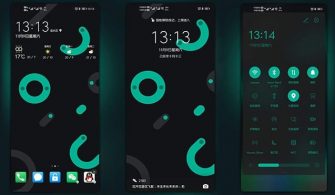
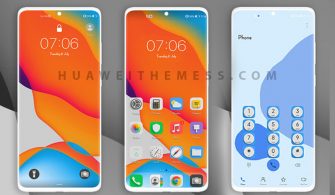
Get ready to transform your EMUI 10.1/10.0/9.1/9.0 or MagicUI 3/2 device with the mesmerizing Magic Color theme. This stunning theme offers an unparalleled visual experience, allowing you to personalize your phone according to your unique style. With its sleek design and captivating colors, Magic Color is the perfect way to elevate your device’s aesthetic.
Experience the Magic of Magic Color EMUI Theme
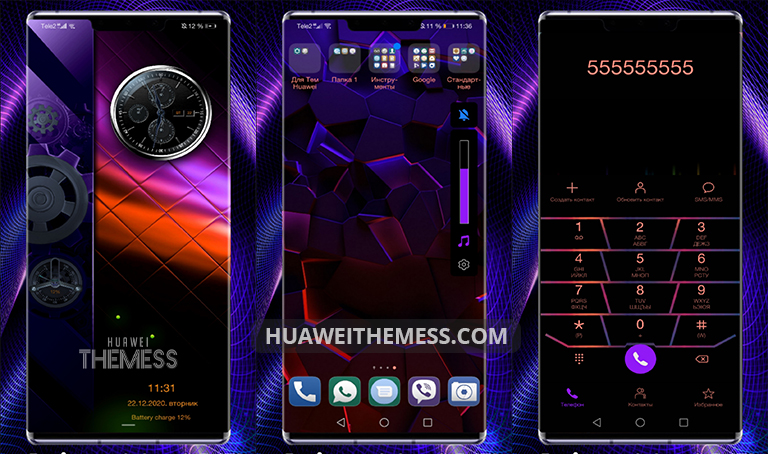
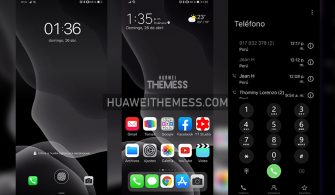
Discover a new world of customization possibilities with Magic Color. This theme boasts a wide range of features, including a dynamic lockscreen, flat icons, and changed clock widgets. The introduction of new purple and orange colors adds a touch of sophistication and vibrancy to your device’s interface.
Compatibility: Empower Your EMUI 10/9 and MagicUI 3/2 Devices
Enjoy seamless compatibility with Magic Color on your EMUI 10.1/10.0/9.1/9.0 and MagicUI 3/2 devices. This theme is specifically designed to work flawlessly on these operating systems, ensuring an uninterrupted user experience.
Frequently Asked Questions
What devices are compatible with Magic Color EMUI Theme?
Magic Color is compatible with EMUI 10.1/10.0/9.1/9.0 and MagicUI 3/2 devices, making it the perfect choice for a wide range of Huawei and Honor users.



How do I download and apply the Magic Color EMUI Theme?
To download and apply the Magic Color theme, simply click on the download button below and follow the step-by-step guide provided on our website.
How do I add a theme to my EMUI device?
To add a theme to your EMUI device, follow these easy steps: click on the download button below, find the “HWT” extension (blabla.hwt) you downloaded from the download site, copy or move the theme file you find in the file manager, and copy or move the folder HWThemes.
How to install this theme?
First, download the .hwt file and move it to the Huawei/Themes folder, then apply it via the Themes app. Click here to learn in detail.
The Magic Color EMUI theme is a game-changer for anyone looking to elevate their device’s aesthetic. With its sleek design, captivating colors, and seamless compatibility, this theme is sure to leave a lasting impression. Say goodbye to boring interfaces and hello to a world of vibrant beauty with Magic Color.



😘😘