
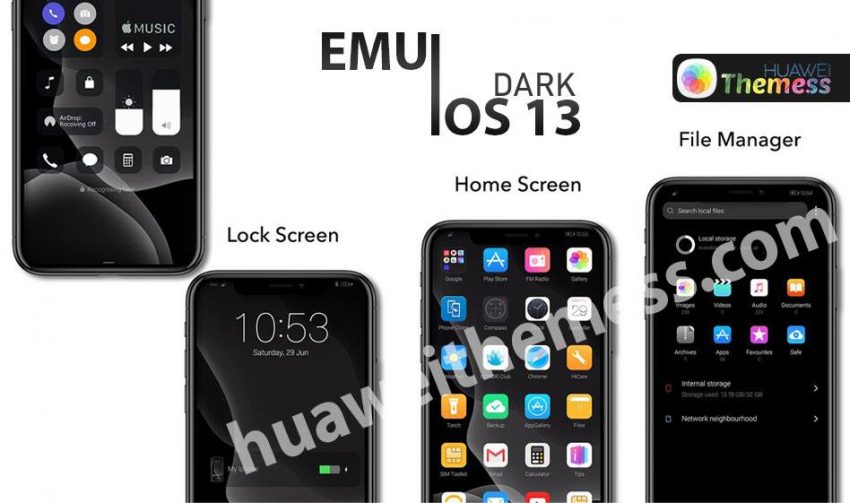
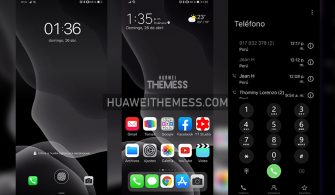
Get ready to immerse yourself in a world of sleek and sophisticated design with the iPhone 15 Dark Theme for EMUI 5/8/9. This mesmerizing theme is designed to transform your Huawei device into a premium Apple experience, complete with a rich dark aesthetic that exudes luxury and refinement. Whether you’re a fan of Apple or simply appreciate the finer things in life, this theme is sure to captivate your senses and leave you wanting more.
iPhone 15 Dark Theme Features: Elevating Your EMUI Experience
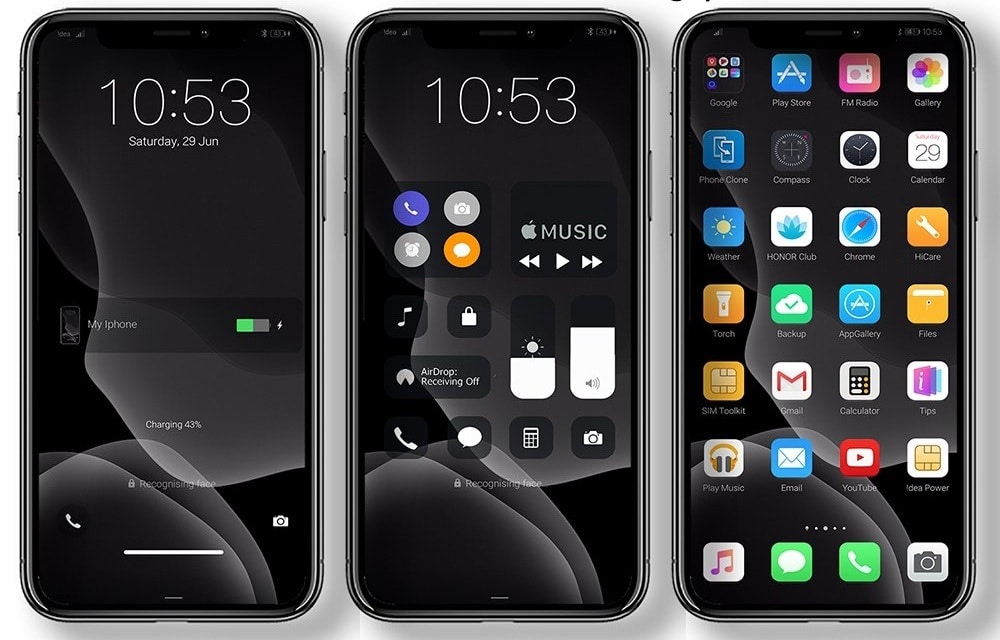
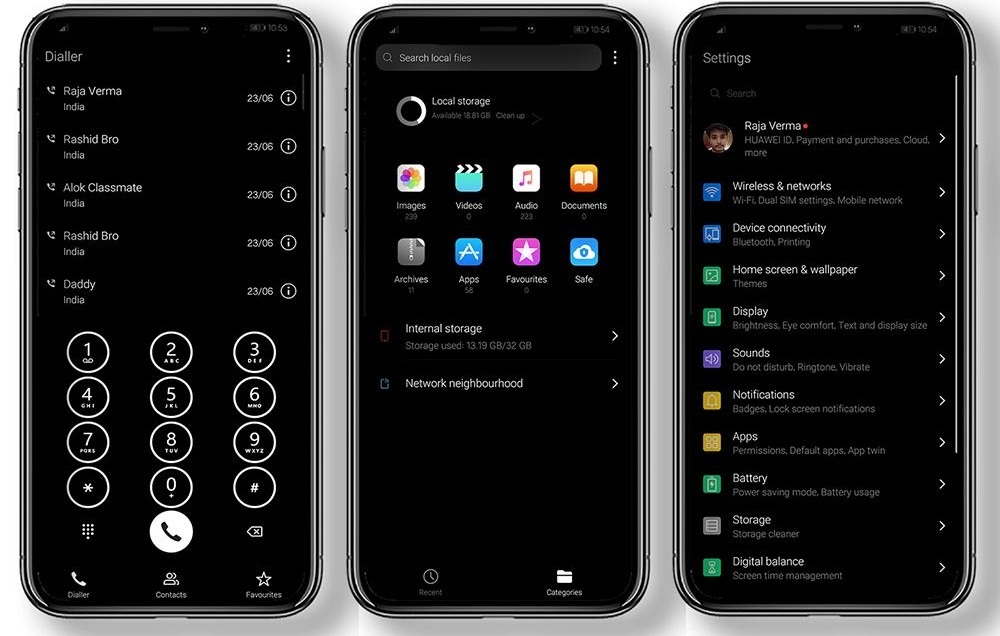
The iPhone 15 Dark Theme for EMUI 5/8/9 is packed with an array of innovative features that will take your device to the next level. From the stunning iOS 13 Dark Wallpaper to the sleek and modern iOS 13 Icons, every detail has been carefully crafted to provide a seamless and immersive experience. With new dark app lookings, a fresh lockscreen design, and a revamped SystemUI, this theme is more than just a skin – it’s a complete transformation.
But that’s not all – the iPhone 15 Dark Theme also boasts an impressive array of other features, including:
- iOS 13 Dark Wallpaper
- iOS 13 Icons
- New Dark app lookings
- New Lockscreen looking
- New Dark SystemUI looking
- and more features….
Compatibility: Ensuring Seamless Integration



The iPhone 15 Dark Theme for EMUI 5/8/9 is designed to provide a seamless and hassle-free experience across a range of Huawei and Honor devices. With support for EMUI 12, 11, 10, 9.0, and MagicUI 6, 5, 4, 3, and 2, you can rest assured that this theme will look and feel amazing on your device, regardless of the version you’re running.
Frequently Asked Questions (FAQ)
What devices is the iPhone 15 Dark Theme compatible with?
The iPhone 15 Dark Theme is compatible with a range of Huawei and Honor devices, including those running EMUI 12, 11, 10, 9.0, and MagicUI 6, 5, 4, 3, and 2.
How do I apply the iPhone 15 Dark Theme?
To apply the iPhone 15 Dark Theme, simply download the .hwt file and move it to the Huawei/Themes folder, then apply it via the Themes app. For more detailed instructions, click here.
What features can I expect from the iPhone 15 Dark Theme?
The iPhone 15 Dark Theme boasts a range of innovative features, including iOS 13 Dark Wallpaper, iOS 13 Icons, new dark app lookings, a fresh lockscreen design, and a revamped SystemUI.
How do I remove the iPhone 15 Dark Theme?
To remove the iPhone 15 Dark Theme, simply go to the Themes app and select the theme you want to remove. Follow the on-screen instructions to complete the process.
How to install this theme?
First, download the .hwt file and move it to the Huawei/Themes folder, then apply it via the Themes app. Click here to learn in detail.
The iPhone 15 Dark Theme for EMUI 5/8/9 is more than just a theme – it’s an experience. With its sleek and sophisticated design, this theme is sure to captivate your senses and leave you wanting more. Whether you’re a fan of Apple or simply appreciate the finer things in life, this theme is a must-have for anyone looking to elevate their EMUI experience.




Theme download link not working